## Problem
I set the dots spinner (80ms interval) and after using it I want to change the text to `\b` and Stop() the spinner, since it's currently the only way to achieve cleaning the output. I have to add a call to `time.Sleep(80 * time.Milliseconds)` otherwise my changes might not be taken into account because the printing loop is still waiting for the ticker to tick.
## Proposed solution
It would be very nice to have a function that would stop the main loop and erase the text. Something like a `w.Clean()`.
This is very tricky, because this library is supposed to be part of a bigger application. And your proposal just says clean output , it is light on details.
The printing loop achieves what it does because we are cleaning just one line. Did you mean clearing all previous lines?
No, I mean that it should be able to clean itself so that further logs, written after the `Stop()` method is called, are not _spammed_ by the spinner.
An example of what I needed as a result can be seen here:
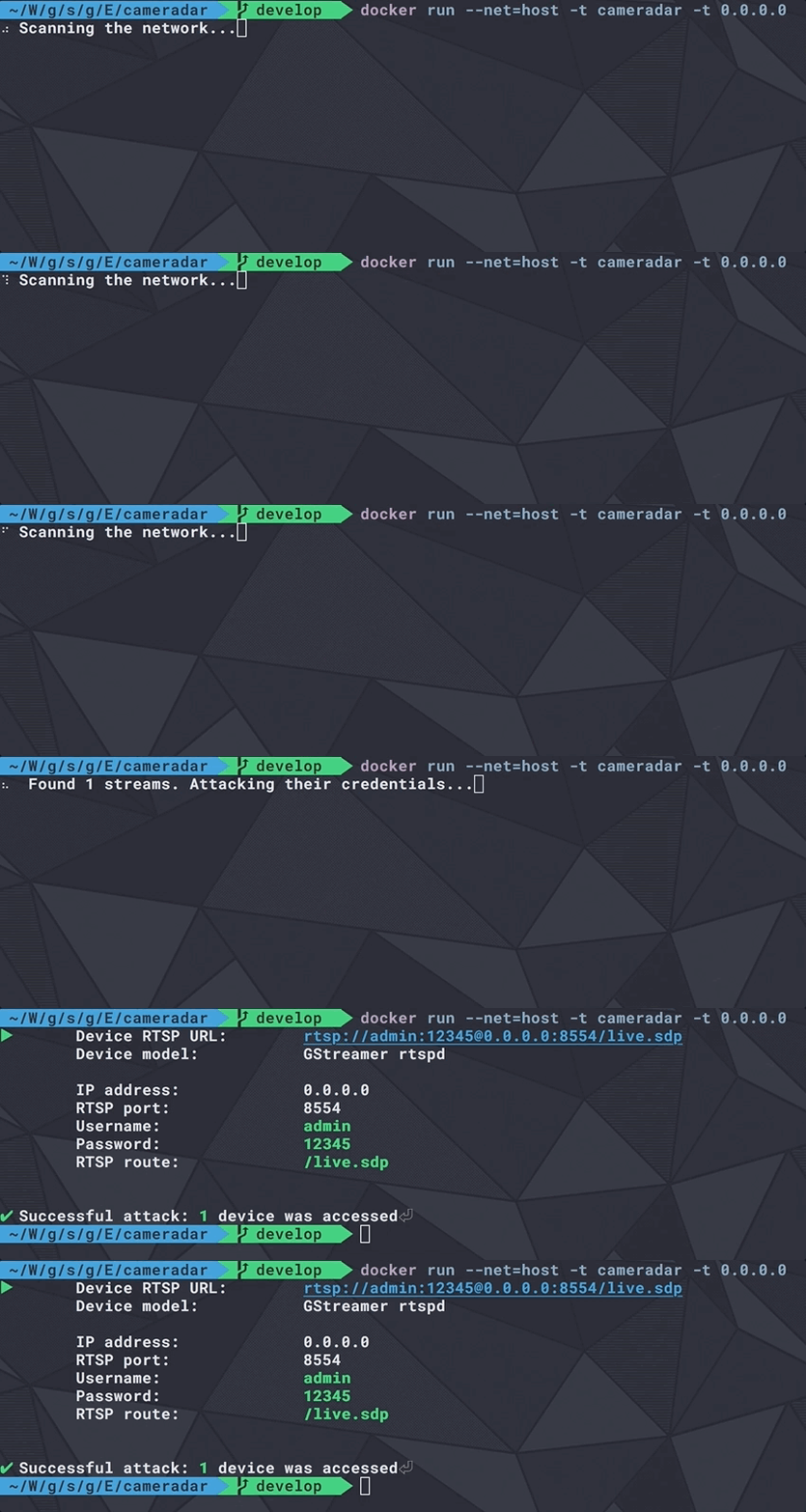
To do it manually, I had to do this:
```go
// HACK: Waiting for a fix to issue
// https://github.com/gernest/wow/issues/5
func clearOutput(w *wow.Wow) {
w.Text("\b")
time.Sleep(80 * time.Millisecond)
w.Stop()
}
```
Explanation: I set the test to `\b` to manually erase the spinner, slept for 80ms as it was the interval needed to make sure that the changes were applied (see issue https://github.com/gernest/wow/issues/6 ) and then I can finally call the `Stop()` method.
A simpler implementation would replace all this code with a simple `w.Clean()` that would basically do the same: Erase the text & spinner frame written in the last iteration of the spinner's print loop.
I don't think it should necessarily call the `Stop()` method on its own, though, but that's totally up to you. It should not be too tricky to implement :-)
@Ullaakut please update the library and try again, I mean call to `(*wow)Spinner` should clear the line, then write the new spinner.
Let me know if it fixes this
(*wow)Spinner? You mean each iteration of the loop clears the line before writing, right? If so, how does that fix the problem?
I will try it out this evening, thanks! :-)
Only a call to `Persist` or `PersistWith` adds a new line, replacing the spinner still operates on the same line, unless if I missed something.
> I will try it out this evening, thanks! :-)
Perfect, please let me know what you will find
The problem I had was not that I was replacing the spinner but that I wanted to remove it after I didn't need it anymore.
Basically, when my program is processing, the spinner helps the user by letting him know that something is going on, but when it's done the output of the program has to be clean and free of any spinner, as its purpose is only to exist while the program is processing.
That's why I thought that a `.Clear()` function would be a welcome addition to the library :-)