Hi, at a customer i'm looking into changing from the Specflow plugin to DeveRoom. However we run into issues with the discovery of the test assembly. We use custom build targets where the intermediates and the binaries are copied to a central folder on C:\Build\Projectname\... It's done for reasons that cannot be changed easily, unfortnally this customization also leads to some issues with the discovery.
When i run the deveroom discovery by hand like this it does discover fine:
Extensionpath\deveroom-specflow-v3.exe discovery C:\Build\Project\Debug_x64\Project\UnitTests\SBDProject.dll
```
"12": "C:\\Users\\username\\source\\repos\\Project\\Sub\\Sub\\xSBD\\src\\steps\\ThenUsedDevicesSteps.cs"
},
"typeNames": {},
"specFlowVersion": "C:\Build\Project\Debug_x64\Project\UnitTests\\TechTalk.SpecFlow.dll",
"isFailed": false
```
In VStudio i get the following errors in the DeveRoom logging:
```
2021-06-02T11:09:29, Verbose, ProjectSystemOnProjectsBuilt: Projects built or settings initialized
2021-06-02T11:09:29, Info, GetSkippedBindingRegistryResult: Test assembly not found. Please build the project to enable Deveroom features.
2021-06-02T11:09:29, Verbose, Parse: Parsed buffer v2 in 2ms on thread 1
2021-06-02T11:09:29, Verbose, Parse: Parsed buffer v2 in 1ms on thread 1
2021-06-02T11:09:34, Verbose, PreExec: Go To Step Definition
```
I've looked into the SpecFlow and DeveRoom config, but I can't find the setting for the test assembly path to configure it to the correct location. Neither it uses our target and variables right now ( specflow plugin, test discovery etc are working fine with this customization).
We are using DotNet Core 3.1 with the latest SpecFlow plugin (updated to see if that fixes the issue).
Hi @gasparnagy ,
I drilled it down to the cause in my opinion. Turned out it's reproducable with an easy step. There is a custom setting in a .props file that sets the output directory. In the real project this is done by a lot of generic props and target files. Eventually it ends op in a fixed location. I'm thinking that being able to configure the location of the dll's in deveroom, or using the variables from MS should fix this.
[CopyExample.zip](https://github.com/specsolutions/deveroom-visualstudio/files/6623186/CopyExample.zip)
@PWithaarImproveQS Thx for the repro. I will try that next week (this week is on max). The strange thing is that the plugin [takes the output path variable from VS](https://github.com/specsolutions/deveroom-visualstudio/blob/master/Deveroom.VisualStudio.Package/VsUtils.cs#L176), so I assumed that it is updated if it is overwritten from props... strange.
If you want/can play with it, you can uncomment [this](https://github.com/specsolutions/deveroom-visualstudio/blob/master/Deveroom.VisualStudio.Package/VsUtils.cs#L195) and the next line and see (with [DebugView](https://docs.microsoft.com/en-us/sysinternals/downloads/debugview)) if the updated output path can be found in another VS property.
@PWithaarImproveQS I just got time to do some testing with your sample, but... it works just fine for me. I see all compiled files in the redirected folder (no `bin` folder in the project folder), but Deveroom just finds them without problems. (I did a build and then opened a feature file.)
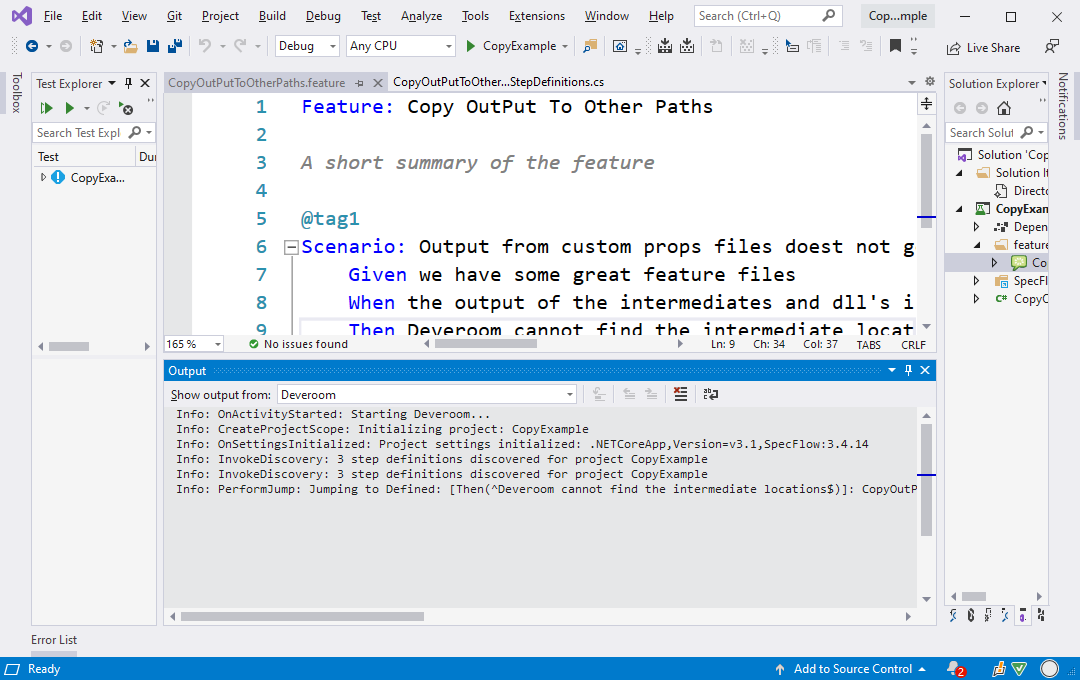
So there might be some other thing in your setup. What is the exact Visual Studio version you use? Are you using any other special extensions that might influence the project system?
Hi Gaspar, I've spend some time debugging to find out the actual issue. What happens is that the outputpath from the configuration manager is not correct. The target framework is added to there, where on the actual filesystem this is not done.
So we configure the outputpath to C:\BinariesGoHere, but the OutputPath variable that is requested in VsUtils GetOutputPath is extended with the framework version. So instead of returning C:\BinariesGoHere we get something like C:\BinariesGoHere\dotnetcore3.1\ from that variable in configuration.
Of course when it tries to find the dll over there the folder does not exists. Fortunally I stumbled upon a configuration to disable this behaviour by adding the following configuration in our project file :
`<AppendTargetFrameworkToOutputPath>false</AppendTargetFrameworkToOutputPath>
`
For us this was enough and after rebuild and restarting Visual Studio DeveRoom is functioning and binding the step definitions. For others it could be that also the runtime is added. This can be disabled by:
`<AppendRuntimeIdentifierToOutputPath>false</AppendRuntimeIdentifierToOutputPath>`