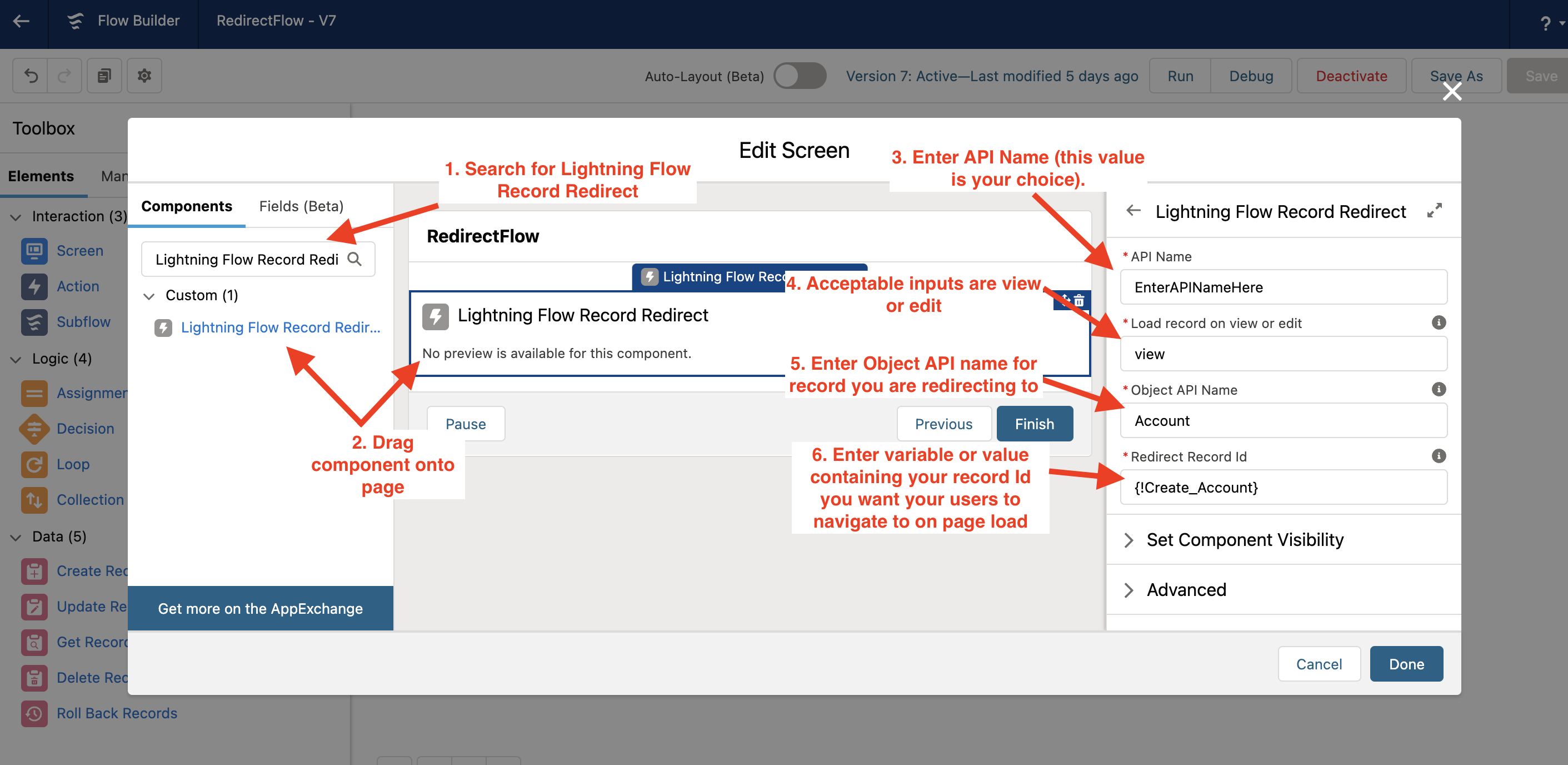
Lightning Flow Redirect is a Lightning Web Component that leverages the flow builders input to redirect users who land on the flow screen with this component present to a record of the flow builders choice. This can include a static value, a record creation variable, or any other element that consists of a record ID in the Salesforce database.
This component has the following input options:
- Record Id = the Salesforce database record ID of the record you are seeking to navigate your users automatically.
- Load Type = acceptable options include "view" and "edit". If you navigate to a record on View it will load the default record page. If you navigate to edit it will surface your record as an edit modal allowing the user to make any necessary record edits and then saving the record. Note -- if you choose edit your users will be navigated to their default home page after saving or canceling. Currently this component does not allow for a redirect after the initial redirect.
- Object type = Enter the API name of the object you will be navigating to.
To use this component
- Create or open your existing Screenflow.
- Search for the component called Lightning Flow Record Redirect
- Drag the component onto your screen where you want the redirect to occur - (please note that once your user loads this page they will be redirected. This should be the only component on your page as other elements would render useless).
- Fill in the relevant details:
API Name - value of the instance of this component (note: value you select here does not alter the capability of the component. Load record on view or edit - enter in 'view' or 'edit' here to determine the type of redirect. Object API Name - the API Name of the object you are navigating to. Redirect Record ID - This value can be a hardcoded value or a variable with the Salesforce database Id of the record that you want your users to be redirected to.