
Warning OSINT Toolkit is not production ready yet. This is an early prototype, that still needs some work before it goes out of beta. The code needs some refactoring, bug fixing, and error handling before the first stable version can be released.
OSINT Toolkit is a web application designed to make the life of security analysts easier by combining many functions and services into a single tool. Written in React and FastAPI, the toolkit provides a range of features to help you identify potential threats and stay informed about the latest developments in the field of cyber security. With OSINT Toolkit, you can analyze indicators of compromise (IOCs) such as IP addresses, hashes, email addresses, domains, and URLs using services like VirusTotal, AlienVault, and AbuseIPDB, as well as social media platforms like Twitter. You can also search for recently registered domains that match a specific pattern, view screenshots of websites to see what is behind them, check domains and IPs against threat intelligence services, extract and organize IOCs from unstructured files, and stay up to date on the latest cyber security news. All of these features are designed to help you save time and effort while protecting your organization from potential threats and staying informed about the latest developments in the field of cyber security.
| IPs | Domains | URLs | Emails | Hashes |
|---|---|---|---|---|
| AbuseIPDB | Alienvault | Alienvault | Emailrep.io | Alienvault |
| Alienvault | Maltiverse | Google Safe Browsing | Hunter.io | Maltiverse |
| IPQualityScore | Pulsedive | Maltiverse | Have I Been Pwnd | Pulsedive |
| Maltiverse | Shodan | Pulsedive | ||
| Pulsedive | ThreatFox | Shodan | ThreatFox | |
| Shodan | ThreatFox | |||
| Virustotal | ||||
| ThreatFox | URLScan | |||
| Virustotal | URLScan | |||
| Virustotal | Virustotal |
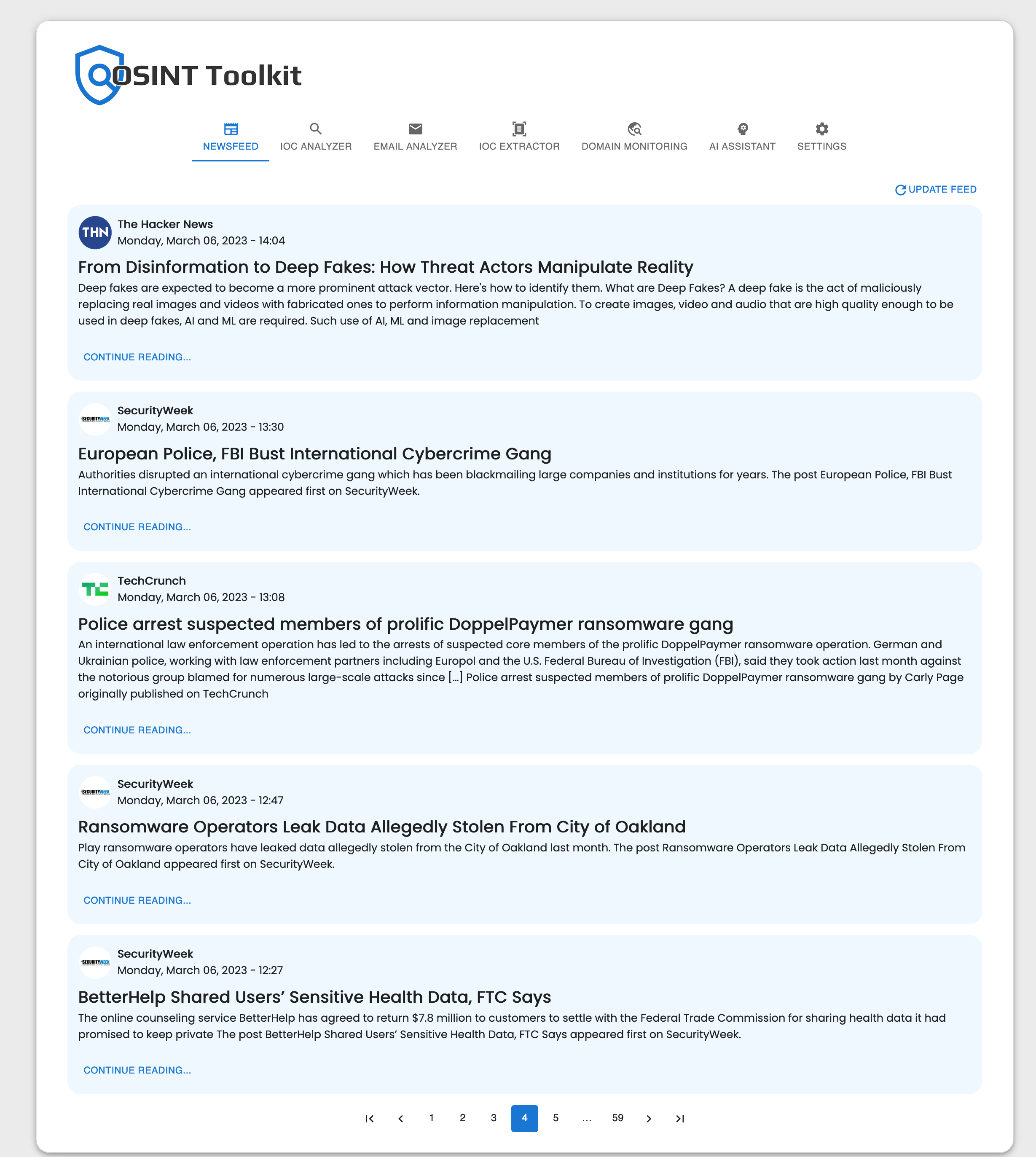
Newsfeed is a module that keeps you up to date on the latest cyber security news by aggregating articles from trusted sources such as Wired, The Hacker News, Security Magazine, Threatpost, TechCrunch Security, and Dark Reading. With Newsfeed, you can stay informed about the latest developments in the world of cyber security without having to visit multiple websites or subscribe to multiple newsletters. Whether you are a security professional looking to stay current on industry trends or just want to stay informed about potential threats to your personal online security, Newsfeed is a valuable resource.
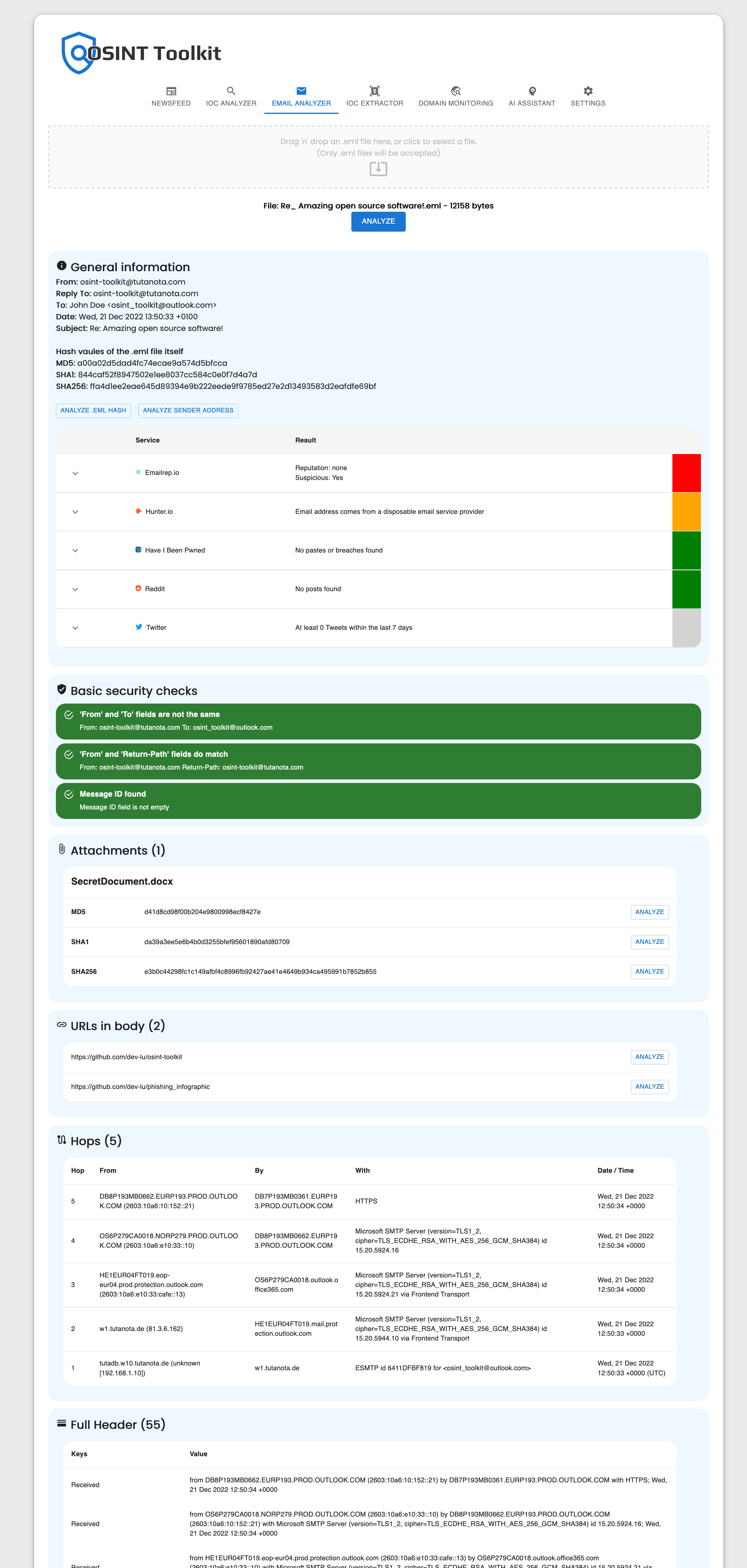
Email Analyzer is a module that allows you to analyze .eml files for potential threats. To use the module, simply drag an .eml file into it. The module will then parse the file and perform basic security checks to identify any potential risks. It also extracts all indicators of compromise (IOCs) from the file and makes it possible to analyze them using various open source intelligence (OSINT) services. In addition, Email Analyzer generates hash values for every attachment in the file, allowing you to perform a privacy-friendly analysis of these files. This can help you protect your organization from cyber attacks and other threats that may come through email.
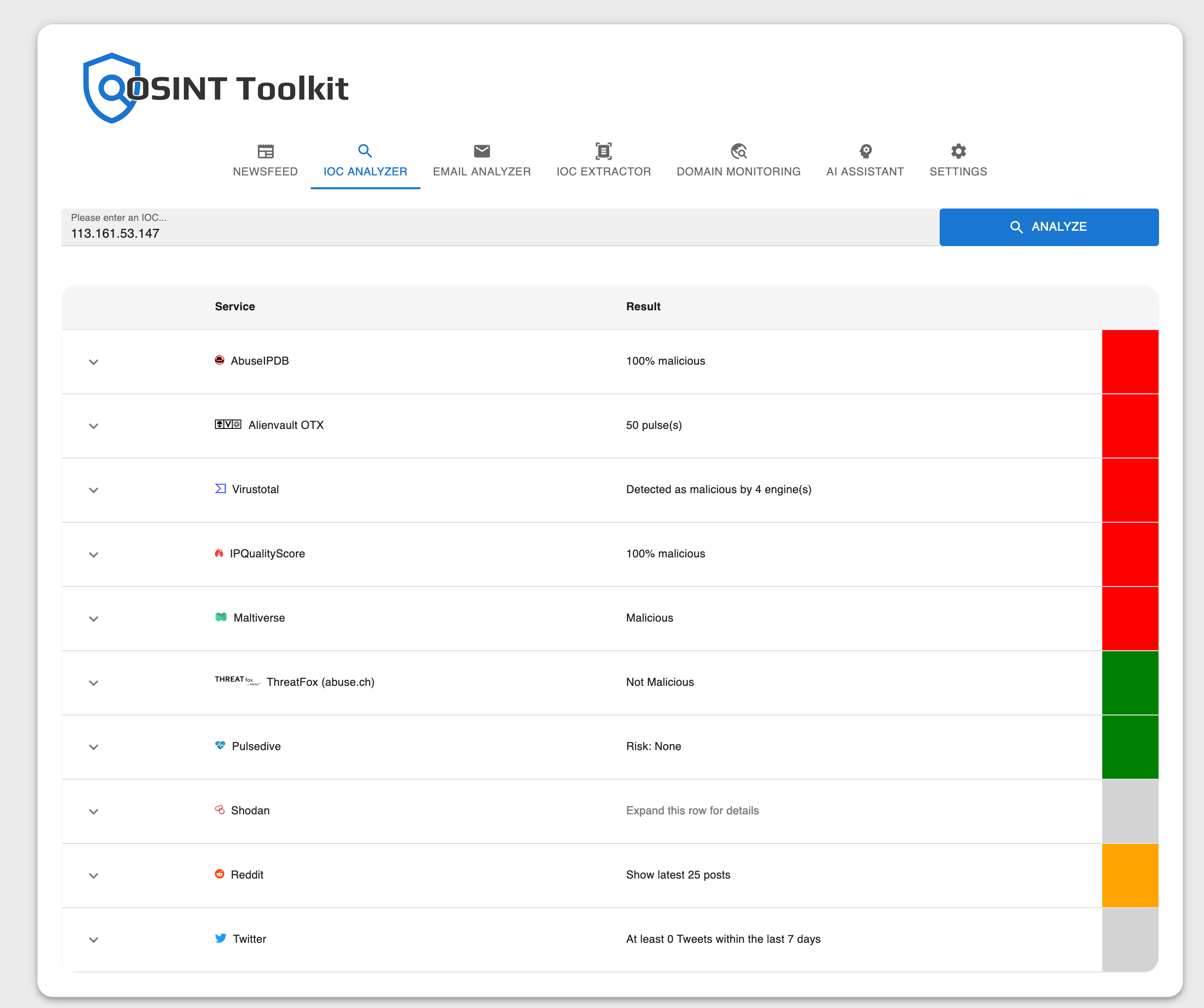
IOC Analyzer is a module that helps you analyze various types of indicators of compromise (IOCs), including IP addresses, hashes, email addresses, domains, and URLs. It uses a variety of services, such as VirusTotal, AlienVault, and AbuseIPDB, as well as social media platforms like Twitter, to gather information about the IOCs you are interested in. The tool is able to automatically detect the type of IOC you are analyzing and uses the appropriate services to gather the most relevant information. This can help you identify potential threats and take the necessary steps to protect your organization from cyber attacks.
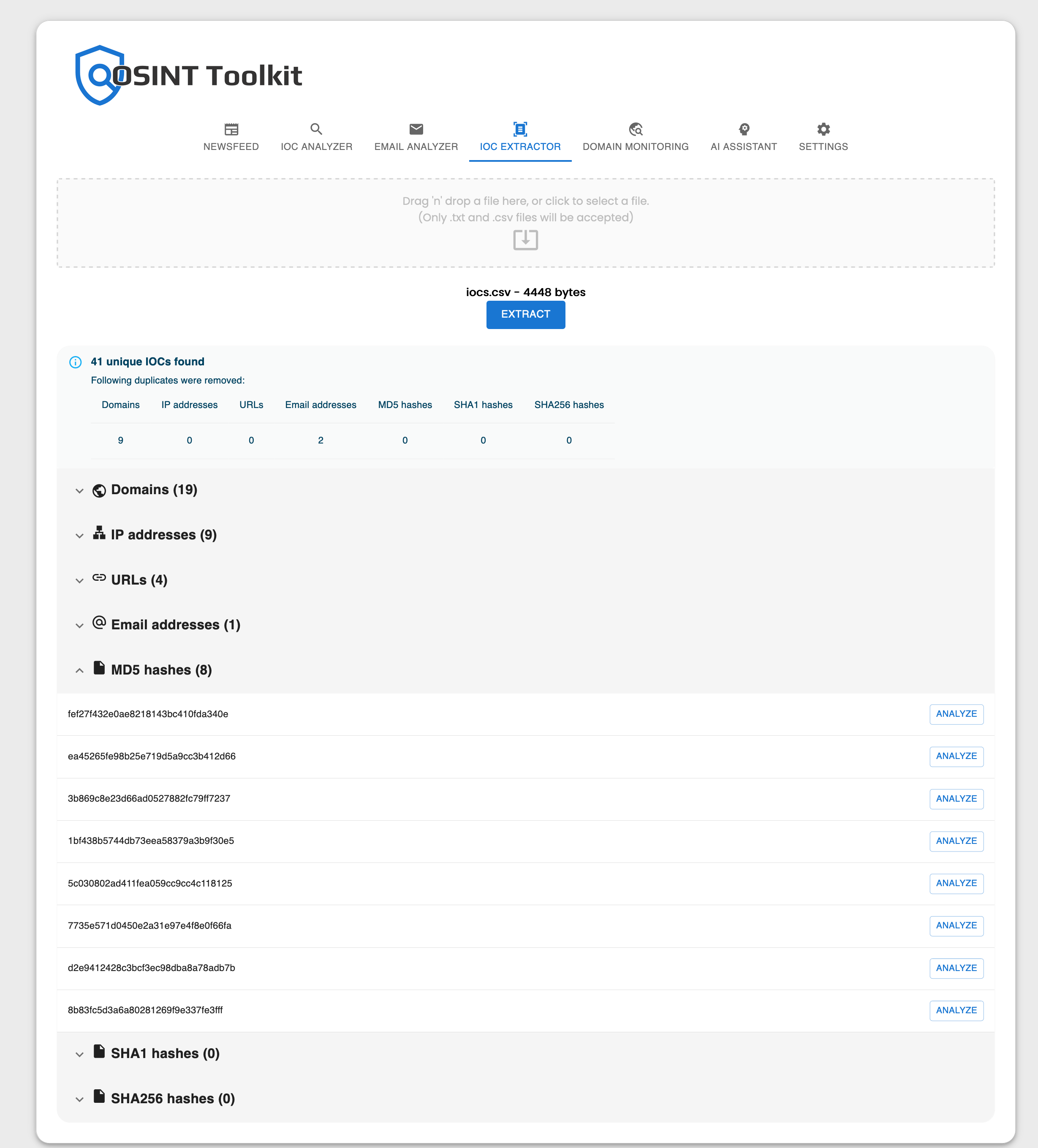
IOC Extractor is a module that allows you to extract and organize indicators of compromise (IOCs) from unstructured files using regular expressions (Regex). The module automatically removes any duplicates, so you don't have to worry about sorting through the same IOCs multiple times. There are no complicated settings or features to worry about – just drop your file containing the IOCs into the tool and let it do the work for you. With a single click, you can analyze every detected IOC, saving you the time and effort of building Excel sheets to extract IOCs from files manually. Whether you are an experienced security professional or new to the field, IOC Extractor can help you quickly and easily identify potential threats to your organization.
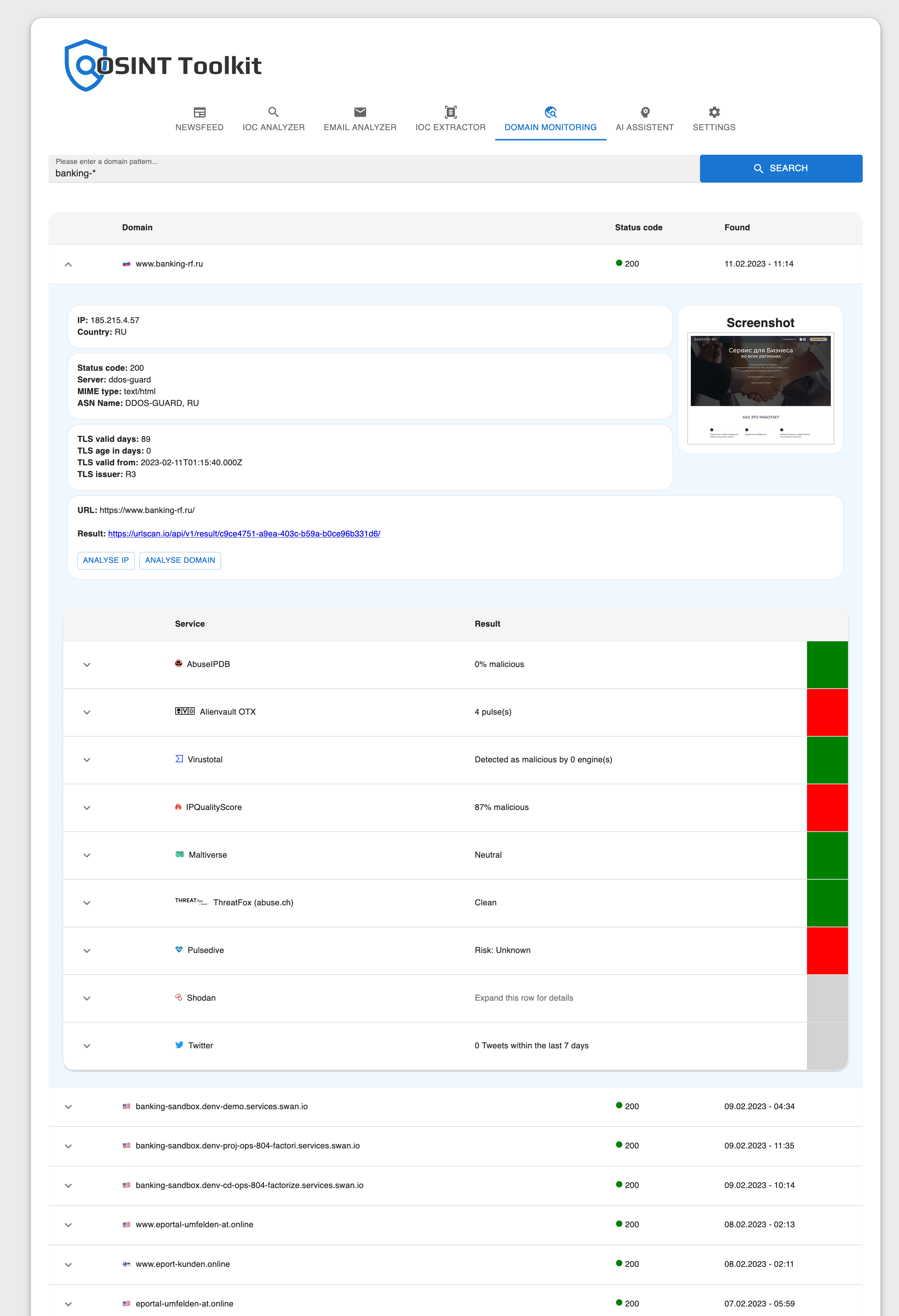
Domain Monitoring is a module that helps you protect your organization from phishing attacks by allowing you to search for recently registered domains that match a specific pattern. This can help you identify potential threats before they occur. Using the URLScan.io API, the module allows you to view screenshots of websites to see what is behind a domain without the need to visit the site and potentially expose yourself to danger. Additionally, with just a single click, you can check each domain and the IP it resolves to against multiple threat intelligence services to further protect your organization. For example, you can use the module to search for domains that start with "google-" by using the search pattern "google-*".
The AI Assistant module in a software for cyber security experts provides a powerful and efficient solution for log data analysis, email text analysis, and source code explanation, leveraging the advanced AI algorithms of OpenAI API. This feature can help security experts to quickly and effectively respond to potential security threats, protect their networks, and maintain the security and integrity of their systems.
- Log Data Analysis: This feature uses the advanced AI algorithms of OpenAI to analyze log data and identify any potential security threats. The AI can process large amounts of data in real-time and provide a detailed analysis of the logs, including identifying suspicious activity, potential breaches, and other security incidents. The log data analysis can also provide valuable insights into network behavior, helping security experts to understand the root cause of a security issue and to take appropriate action.
- Email Text Analysis: The AI Assistant can analyze email texts with the AI from OpenAI to identify potential security threats. This feature uses natural language processing to understand the context and intent behind emails and detect any suspicious content, such as phishing attempts, malware, and other malicious activities. This can help security experts to quickly respond to potential threats and protect their networks from potential harm.
- Source Code Explanation: The AI Assistant can use the AI of OpenAI to explain source code to you, making it easier for security experts to understand complex code and identify potential security risks. The AI can provide a detailed analysis of the code, including identifying potential vulnerabilities, security loopholes, and other security issues. This feature can also provide suggestions for remediation, helping security experts to quickly address any security threats.

It is possible to customize the descriptions of every module with your own texts in markdown formatting. If you don't need a single module, you can just disable it and it won't be shown to you.

- Add more OSINT services
- Generate hashes from files to analyse them in a privacy-friendly way.
- Export reports
- Save history and generate statistics
- CVSS calculator
- Metadata viewer
- View and analyze PCAP files
- Download the repository and extract the files
- Navigate to the directory where the
docker-compose.yamlfile is located - Run the following command:
docker-compose up -d - Once the container is running, you can access the app in your browser at http://localhost:3000
py -m uvicorn main:app --reload
uvicorn main:app --reload
npm start
