A terminal client for finding and streaming movies, TV shows, and anime from your keyboard.




MovieBox-Tui is a terminal UI I built to search MovieBox's public catalog and stream the results in my favorite video player, without leaving the terminal. It talks to the MovieBox API directly, resolves the video URLs it returns, and hands them off to mpv, IINA, or VLC.
No browsers, no ads, no login walls, no configuration. Type a title, pick a quality, watch.
Note: This project is a client for a third-party service. It does not host, store, or redistribute any media. It only resolves the links the upstream API returns. It is intended strictly for educational and personal use. You are responsible for complying with copyright law in your jurisdiction.
A short walkthrough of the app in action:
- What it can do
- Screenshots
- Platform support
- Requirements
- Install
- Getting started
- Keybindings
- How it works
- Project layout
- Troubleshooting
- Contributing
- Acknowledgements
- License
Search and discovery
- Type-to-search with live, debounced suggestions.
- Slash commands to browse curated feeds:
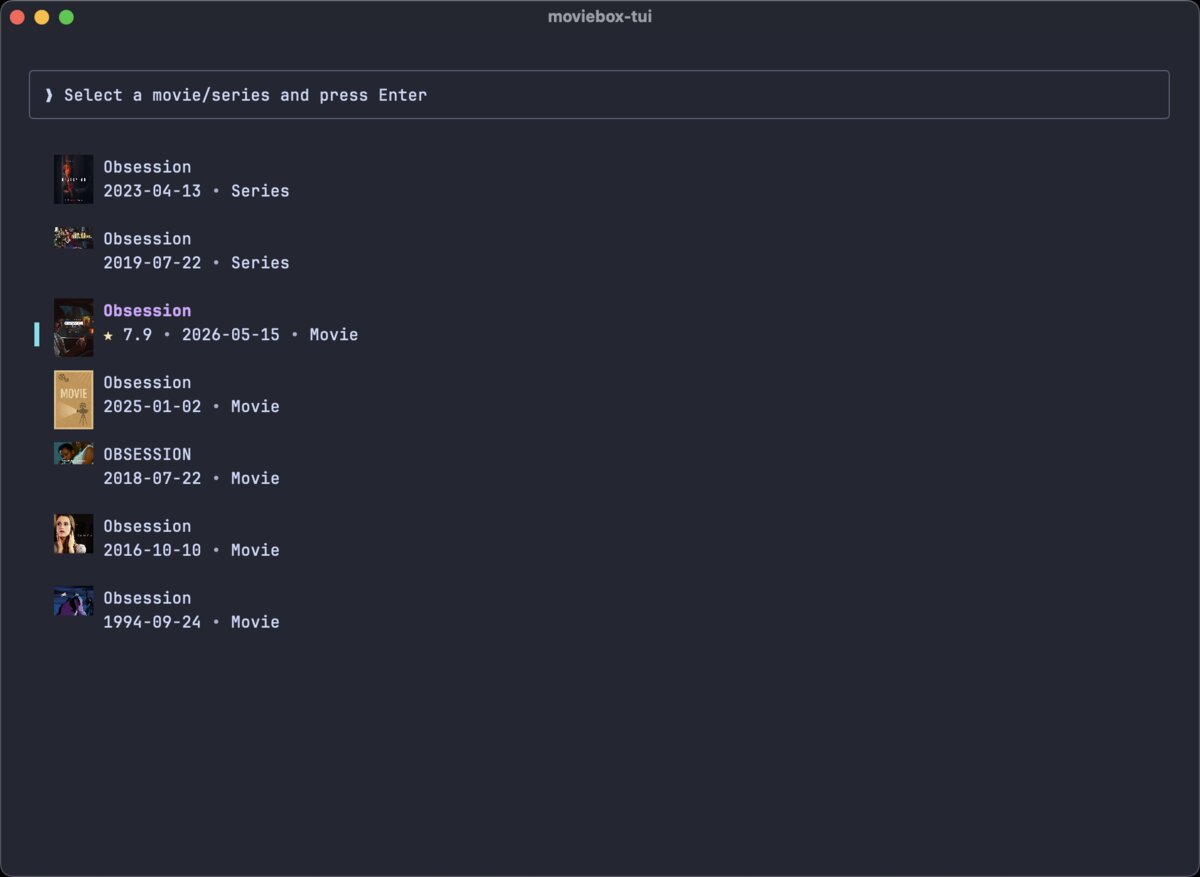
/movies,/shows,/anime,/discover. - Each result shows a poster, release year, and (when highlighted) IMDb rating and genres.
Playback
- Detects
mpv,IINA, andVLCat startup. You get a picker for whatever you have installed. - Full season and episode browsing for TV series and anime, with per-episode stream resolution.
- Multiple resolutions (1080p, 720p, 480p, 360p) are fetched in parallel and listed by quality.
- Attach external subtitle tracks, and switch between available audio dubs before playing.
- If a stream fails or expires, hit R to re-resolve it.
Downloading and sharing
- Built-in multi-connection downloader. Uses up to 16 parallel connections when the source allows range requests, with live speed, ETA, progress bar, and cancel.
- Copy any direct stream URL to your clipboard with a single keystroke.
- Downloads go to your system Downloads folder.
The interface
- Real poster art rendered inline in terminals that support graphics (Kitty, WezTerm, iTerm2, Ghostty, foot, etc.).
- In-app notification when a newer version is published to crates.io.
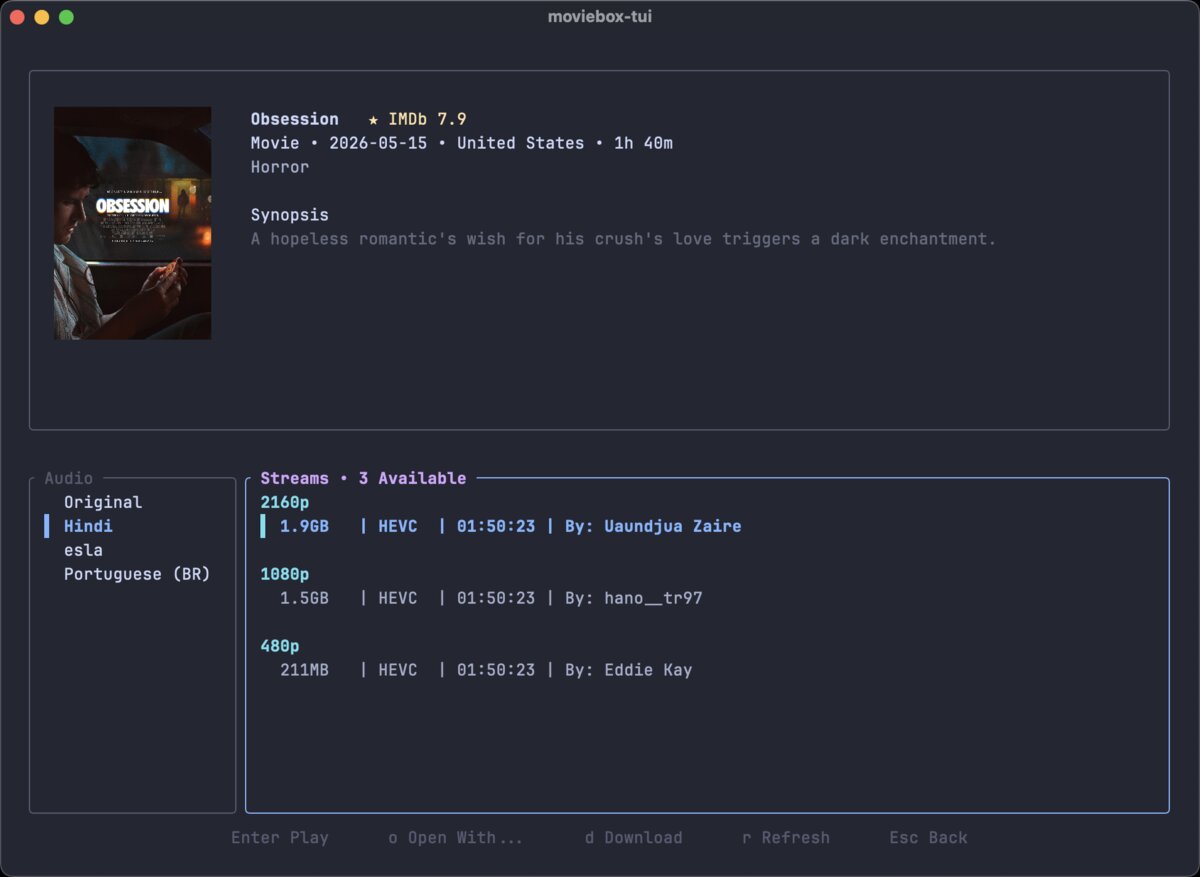
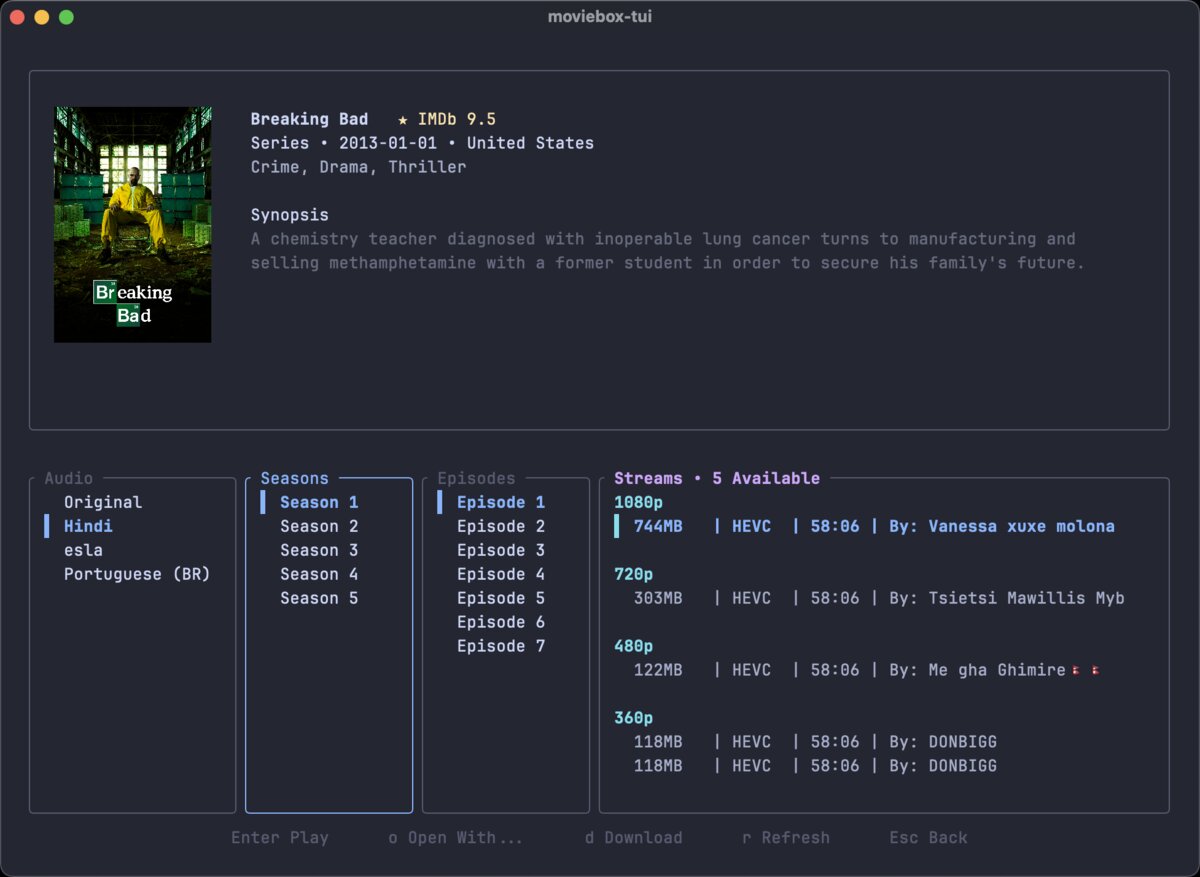
- The details view shows the poster, IMDb rating, year, genres, duration, country, and full description alongside the season, episode, and stream panels.
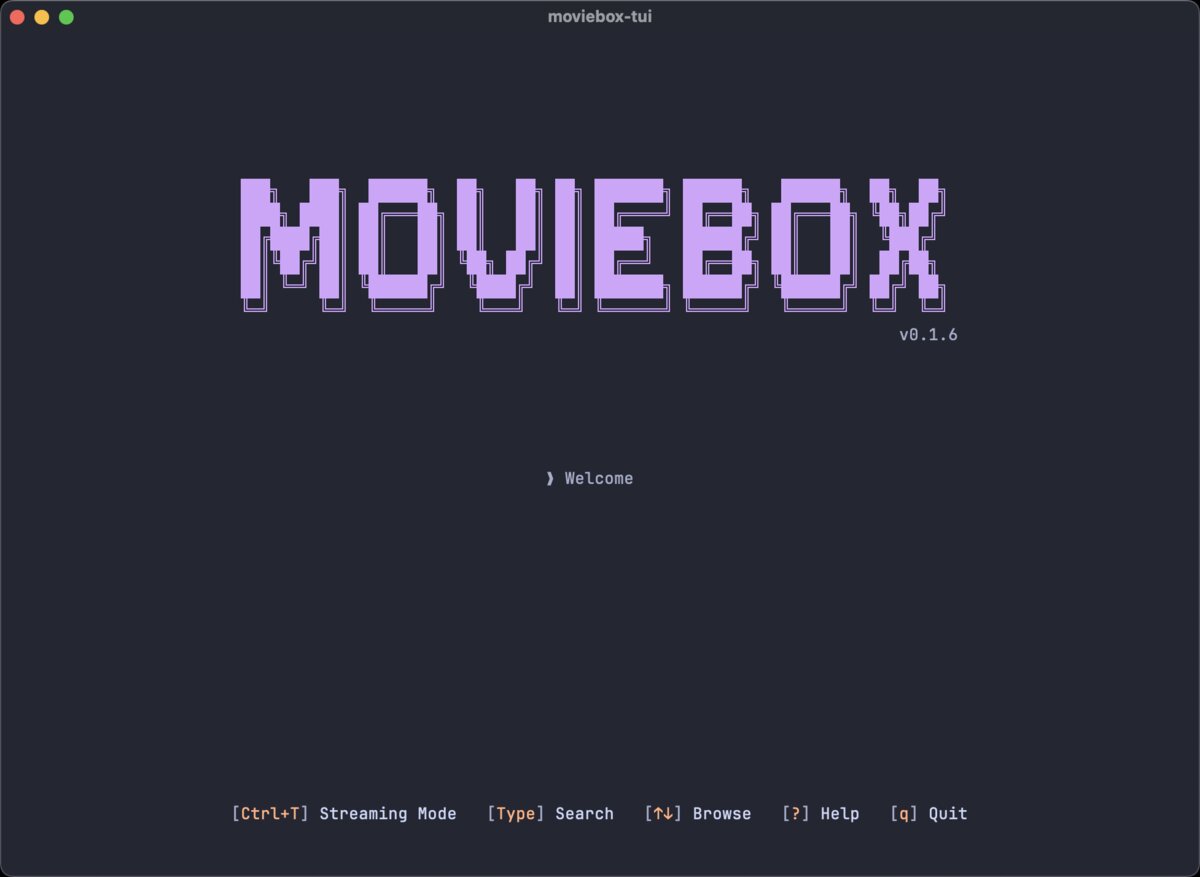
Home and search
| Home | Search results |
|---|---|
|
 |
Details view
| Movie | TV series |
|---|---|
 |
 |
Discover feeds
| Movies | Series | Anime |
|---|---|---|
 |
 |
 |
Help overlay

| Platform | Status |
|---|---|
| macOS | Fully supported. Developed and tested here. Ghostty, iTerm2, and Kitty all render posters correctly. |
| Linux | Experimental. Should work on any terminal with graphics-protocol support. Not extensively tested. |
| Windows | Experimental. Expect bugs, especially around inline image rendering. Contributions welcome. |
You need three things:
- A video player.
mpvis the default and the most reliable.IINA(macOS) andVLCalso work. The app detects whichever you have installed. - A terminal at least 85×24. Anything smaller and the app will show a message asking you to enlarge it.
- Rust 1.85 or newer (edition 2024), only if you want to build from source. See rustup.rs. If you install from crates.io, you already have it.
For inline poster art, you'll want a terminal that speaks a graphics protocol: Kitty, WezTerm, iTerm2, Ghostty, or foot. Other terminals still work fine, you just get placeholder blocks instead of images.
How to install a video player
# macOS
brew install mpv
# or, for a native-feel alternative
brew install --cask iina

# Debian / Ubuntu
sudo apt install mpv

# Arch Linux
sudo pacman -S mpv

# Fedora
sudo dnf install mpv

# Windows (Chocolatey)
choco install mpv
MovieBox-Tui auto-detects whichever players you have installed on the first run.
The recommended way is to install from crates.io:
cargo install moviebox-tuiMake sure ~/.cargo/bin is on your PATH, then run:
moviebox-tuiBuilding from source
If you want a local checkout or a development version:
git clone https://github.com/mesamirh/MovieBox-Tui.git
cd MovieBox-Tui
cargo install --path .
Or run it directly without installing:
cargo run --releaseLaunch the app:
moviebox-tuiYou'll land on the home screen. From there:
- Just start typing. The search bar activates automatically and live suggestions appear as you type.
- Or use a discover command: type
/movies,/shows,/anime, or/discoverand press Enter to browse curated feeds. - Move through results with Up/Down. The selected result loads a poster preview with IMDb rating and genres.
- Press Enter to open the details view.
- For a TV series, pick a season and episode. If multiple language dubs are available, you'll be asked to pick one.
- Choose a stream quality and hit Enter to play in
mpv, or o to pick a different player.
Press ? at any time to see all keybindings.
| Key | Action |
|---|---|
| any letter | Focus the search input and start typing |
| ? | Toggle the help overlay |
| Esc | Go back, clear search, or close popup |
| q | Quit |
| Ctrl+C | Force quit |
| Key | Action |
|---|---|
| Up/Down | Move selection |
| Left/Right | Switch panels or page through results |
| Enter | Select or confirm |
| Esc | Go back (details screen) |
| Key | Action |
|---|---|
| Enter | Play the selected stream in mpv |
| o | Choose a different player (mpv, IINA, or VLC) |
| R | Refresh streams. Useful when a link expires or fails. |
| d | Download the selected stream |
| c | Copy the direct stream URL to the clipboard |
| x | Cancel an in-progress download |
The app has two layers.
The provider layer (src/providers/moviebox/) is a small HTTP client for the MovieBox API. It rotates through a pool of API hosts, signs each request with an HMAC-MD5 signature, and retries automatically on transient failures. When you open a title, it fires off requests for every resolution in parallel and deduplicates the results. That is why picking a quality feels instant.
The TUI layer (src/tui/) is where everything you see happens. It is built on Ratatui and driven by an async event loop. Every keystroke, network response, and background task becomes an Action on a single channel, so the interface never blocks. Poster images decode on background tasks and get cached in an LRU so scrolling through search results stays smooth.
Playback is not reinvented. The app just spawns your video player with the resolved URL and any subtitle track you picked. That means all the polish (hotkeys, subtitles, seeking) comes from mpv, IINA, or VLC, exactly as you would expect them to behave.
src/
├── main.rs                     Binary entry: terminal + tokio setup
├── lib.rs                      Library root
├── providers/
│   └── moviebox/
│       ├── client.rs           HTTP client, host-pool failover, retries
│       ├── crypto.rs           HMAC-MD5 request signing + device spoofing
│       └── mod.rs              High-level API calls
└── tui/
    ├── app.rs                  Event loop and Action handlers
    ├── action.rs               The Action enum (every event in one place)
    ├── event.rs                Crossterm to Action bridge
    ├── state.rs                Application state
    ├── theme.rs                Colors
    └── screens/
        ├── home.rs             Home, search, and result list
        ├── details.rs          Movie / series detail view
        └── help.rs             Keybindings overlay
If you're poking around the code, src/tui/app.rs is the map. Every user action, network response, and background task funnels through its match statement.
Posters show up as colored blocks instead of images
Your terminal doesn't support inline graphics. The app falls back to text placeholders. Try Kitty, WezTerm, iTerm2, Ghostty, or foot if you want the images.
"mpv player not found in PATH"
Install mpv (see Requirements), or press o to pick IINA or VLC if you already have those. Player detection happens once at startup, so install first, then launch the app.
"Terminal too small"
The app needs at least 85×24 characters. Enlarge the window or shrink the font.
Nothing found, stream won't play, or link expired
Direct stream URLs are short-lived and expire after some time. On the details screen, press R to re-resolve. If a title has no streams at all, it may be unreleased on MovieBox or temporarily gone from their catalog.
Downloads are slow or crawl
If the source doesn't support HTTP range requests, the downloader falls back to a single connection. Nothing you can do about that except pick a different quality or source. If it does support ranges, you should see [16x] in the status line.
Contributions are welcome. If you're planning something bigger than a small fix, please open an issue first so we can talk it through.
git clone https://github.com/<your-username>/MovieBox-Tui.git
cd MovieBox-Tui
cargo build

# Before opening a PR:
cargo fmt --all
cargo clippy --all-targets --all-features -- -D warnings
Commits follow Conventional Commits (feat:, fix:, docs:, etc.). See CONTRIBUTING.md for the full guide.
Built with Ratatui, crossterm, ratatui-image, tokio, and reqwest. Playback is powered by mpv, IINA, and VLC.
Dual-licensed under MIT or Apache 2.0 at your option.
Made by @mesamirh
Not affiliated with MovieBox or its operators.
