This is the source code and .mext file for Makeblock's official "Upload mode broadcast" extension compatible with Arduino and Arduino-based devices such as Arduino Uno, mBot v1, etc.
Note
For the process below, you will need an mBlock account. You can get one at https://passport.mblock.cc/
If you want to add the mBlock extension "Upload mode broadcast" to your device on mBlock, the best option for you is to download the .mext file from the latest release. After downloading the ZIP file, right-click on it and choose "Extract" (or "Extract Here" or similar depending on your operating system). A new folder named arduino_broadcast will be created. It contains the .mext file you need.
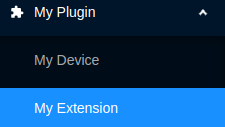
Next, open the mBlock extension builder. In the sidepanel, click "My Plugin" to expand the plugin menu, then "My Extension" to access your extensions.
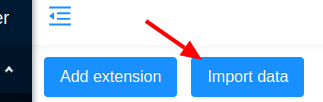
Next, click "Import Data" and upload the file you downloaded:
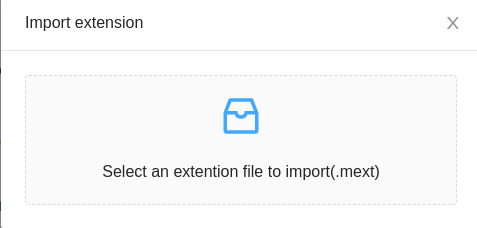
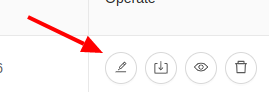
After the extension is uploaded, you can edit it to your needs. To add it to your device, go to the extension editing section, then scroll down until you find the category called "Support device/sprite". Put the name(s) of the device(s) you want to support in the input:
Important
In the image below, you can see that multiple devices are already supported by the extension. Remove all of these to avoid publishing a duplicate extension for those devices. Add only the device ID(s) you want to support that aren't already supported and remove all others. If your device ID is already listed, you don't need to do any of this, as the extension is already available for your device.

Now, change the extension ID to avoid conflict. Go to the basic information tab and change the ID to something new and unique:

If you forget to do this, your extension will not be published.
Save your changes and submit your extension for review. That's it!
If you need further support, ask a question on the makeblock forum (https://forum.makeblock.com/) or join my Discord support server for help.
