- Tested to run with:
- Windows 10
- Cuda 12.8
- Safetensors model instead of pickle file (.pt) (generally unsafe). Download safetensors file from here. Download
model.safetensorsandconfig.json(not sure if strictly necessary but just in case). Change line 37 of demo_gradio.py file to specify the location of themodel.safetensorsfile. As a reference, the line to change looks like this:model.load_state_dict(load_file("model.safetensors")) - Python 3.9. Running with python 3.9 breaks the functionality of the "Examples" of the Gradio interface. The modified
demo_gradio.pyremoves the examples part of the Gradio interface, but you can always load each of the examples manually.
- For some reason the requirements file of this repo specifices a non-Cuda Pytorch. This causes the
demo_gradio.pyto fail. You have to uninstall first the CPU version of Pytorch viapip uninstall -y torch torchvision, then install Cuda-Enabled version of Pytorch withpip3 install --pre torch torchvision torchaudio --index-url https://download.pytorch.org/whl/nightly/cu128(this is to install Pytorch for Cuda 12.8, other versions might work, please see here for instructions to install Pytorch for other Cuda versions)




Visual Geometry Group, University of Oxford; Meta AI
Jianyuan Wang, Minghao Chen, Nikita Karaev, Andrea Vedaldi, Christian Rupprecht, David Novotny
@inproceedings{wang2025vggt,
  title={VGGT: Visual Geometry Grounded Transformer},
  author={Wang, Jianyuan and Chen, Minghao and Karaev, Nikita and Vedaldi, Andrea and Rupprecht, Christian and Novotny, David},
  booktitle={Proceedings of the IEEE/CVF Conference on Computer Vision and Pattern Recognition},
  year={2025}
}Visual Geometry Grounded Transformer (VGGT, CVPR 2025) is a feed-forward neural network that directly infers all key 3D attributes of a scene, including extrinsic and intrinsic camera parameters, point maps, depth maps, and 3D point tracks, from one, a few, or hundreds of its views, within seconds.
First, clone this repository to your local machine, and install the dependencies (torch, torchvision, numpy, Pillow, and huggingface_hub).
git clone [email protected]:facebookresearch/vggt.git
cd vggt
pip install -r requirements.txt
Now, try the model with just a few lines of code:
import torch
from vggt.models.vggt import VGGT
from vggt.utils.load_fn import load_and_preprocess_images

device = "cuda" if torch.cuda.is_available() else "cpu"
# bfloat16 is supported on Ampere GPUs (Compute Capability 8.0+)
dtype = torch.bfloat16 if torch.cuda.get_device_capability()[0] >= 8 else torch.float16

# Initialize the model and load the pretrained weights.
# This will automatically download the model weights the first time it's run, which may take a while.
model = VGGT.from_pretrained("facebook/VGGT-1B").to(device)

# Load and preprocess example images (replace with your own image paths)
image_names = ["path/to/imageA.png", "path/to/imageB.png", "path/to/imageC.png"]
images = load_and_preprocess_images(image_names).to(device)

with torch.no_grad():
    with torch.cuda.amp.autocast(dtype=dtype):
        # Predict attributes including cameras, depth maps, and point maps.
        predictions = model(images)
The model weights will be automatically downloaded from Hugging Face. If you encounter issues such as slow loading, you can manually download them here and load, or:
model = VGGT()
_URL = "https://huggingface.co/facebook/VGGT-1B/resolve/main/model.pt"
model.load_state_dict(torch.hub.load_state_dict_from_url(_URL))You can also optionally choose which attributes (branches) to predict, as shown below. This achieves the same result as the example above. This example uses a batch size of 1 (processing a single scene), but it naturally works for multiple scenes.
from vggt.utils.pose_enc import pose_encoding_to_extri_intri
from vggt.utils.geometry import unproject_depth_map_to_point_map

with torch.no_grad():
    with torch.cuda.amp.autocast(dtype=dtype):
        images = images[None]  # add batch dimension
        aggregated_tokens_list, ps_idx = model.aggregator(images)

    # Predict Cameras
    pose_enc = model.camera_head(aggregated_tokens_list)[-1]
    # Extrinsic and intrinsic matrices, following OpenCV convention (camera from world)
    extrinsic, intrinsic = pose_encoding_to_extri_intri(pose_enc, images.shape[-2:])

    # Predict Depth Maps
    depth_map, depth_conf = model.depth_head(aggregated_tokens_list, images, ps_idx)

    # Predict Point Maps
    point_map, point_conf = model.point_head(aggregated_tokens_list, images, ps_idx)

    # Construct 3D Points from Depth Maps and Cameras
    # which usually leads to more accurate 3D points than point map branch
    point_map_by_unprojection = unproject_depth_map_to_point_map(depth_map.squeeze(0),
                                                                extrinsic.squeeze(0),
                                                                intrinsic.squeeze(0))

    # Predict Tracks
    # choose your own points to track, with shape (N, 2) for one scene
    query_points = torch.FloatTensor([[100.0, 200.0],
                                        [60.72, 259.94]]).to(device)
    track_list, vis_score, conf_score = model.track_head(aggregated_tokens_list, images, ps_idx, query_points=query_points[None])
Furthermore, if certain pixels in the input frames are unwanted (e.g., sea, glass), you can mask them by setting the corresponding pixel values to 0 or 1, and then pass the masked images to the model.
We provide multiple ways to visualize your 3D reconstructions and tracking results. Before using these visualization tools, install the required dependencies:
pip install -r requirements_demo.txtPlease note: VGGT typically reconstructs a scene in less than 1 second. However, visualizing 3D points may take tens of seconds due to third-party rendering, independent of VGGT's processing time. The visualization is slow especially when the number of images is large.
Our Gradio-based interface allows you to upload images/videos, run reconstruction, and interactively explore the 3D scene in your browser. You can launch this in your local machine or try it on Hugging Face.
python demo_gradio.pyClick to preview the Gradio interactive interface
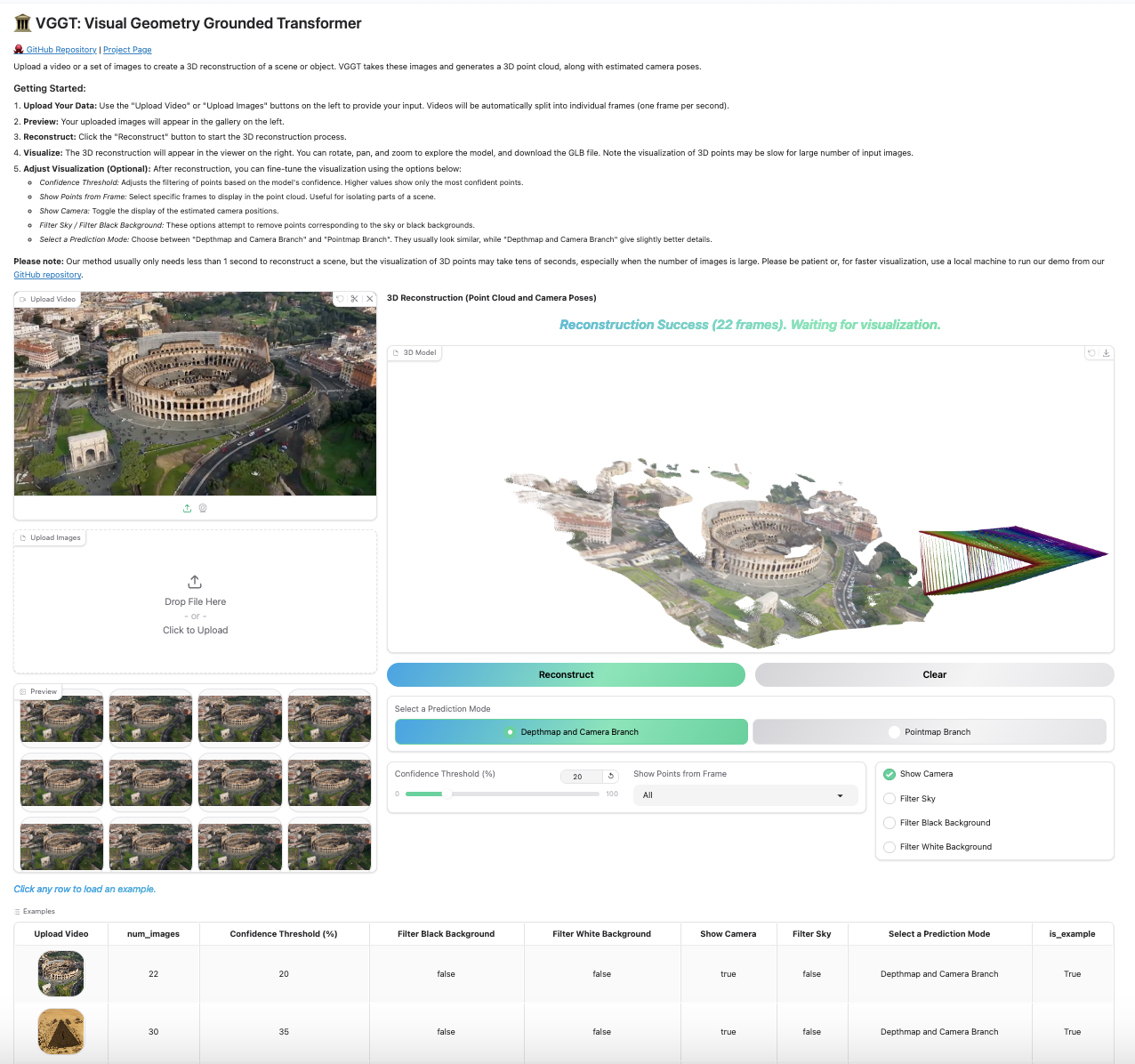
Run the following command to run reconstruction and visualize the point clouds in viser. Note this script requires a path to a folder containing images. It assumes only image files under the folder. You can set --use_point_map to use the point cloud from the point map branch, instead of the depth-based point cloud.
python demo_viser.py --image_folder path/to/your/images/folderTo visualize point tracks across multiple images:
from vggt.utils.visual_track import visualize_tracks_on_images
track = track_list[-1]
visualize_tracks_on_images(images, track, (conf_score>0.2) & (vis_score>0.2), out_dir="track_visuals")
This plots the tracks on the images and saves them to the specified output directory.
Our model shows surprisingly good performance on single-view reconstruction, although it was never trained for this task. The model does not need to duplicate the single-view image to a pair, instead, it can directly infer the 3D structure from the tokens of the single view image. Feel free to try it with our demos above, which naturally works for single-view reconstruction.
We did not quantitatively test monocular depth estimation performance ourselves, but @kabouzeid generously provided a comparison of VGGT to recent methods here. VGGT shows competitive or better results compared to state-of-the-art monocular approaches such as DepthAnything v2 or MoGe, despite never being explicitly trained for single-view tasks.
We benchmark the runtime and GPU memory usage of VGGT's aggregator on a single NVIDIA H100 GPU across various input sizes.
| Input Frames | 1 | 2 | 4 | 8 | 10 | 20 | 50 | 100 | 200 |
|---|---|---|---|---|---|---|---|---|---|
| Time (s) | 0.04 | 0.05 | 0.07 | 0.11 | 0.14 | 0.31 | 1.04 | 3.12 | 8.75 |
| Memory (GB) | 1.88 | 2.07 | 2.45 | 3.23 | 3.63 | 5.58 | 11.41 | 21.15 | 40.63 |
Note that these results were obtained using Flash Attention 3, which is faster than the default Flash Attention 2 implementation while maintaining almost the same memory usage. Feel free to compile Flash Attention 3 from source to get better performance.
Our work builds upon a series of previous research projects. If you're interested in understanding how our research evolved, check out our previous works:
| Deep SfM Revisited | ──┐ | |
| PoseDiffusion | ─────► | VGGSfM ──► VGGT |
| CoTracker | ──┘ |
Thanks to these great repositories: PoseDiffusion, VGGSfM, CoTracker, DINOv2, Dust3r, Moge, PyTorch3D, Sky Segmentation, Depth Anything V2, Metric3D and many other inspiring works in the community.
- Release the training code
- Release VGGT-500M and VGGT-200M
See the LICENSE file for details about the license under which this code is made available.


