
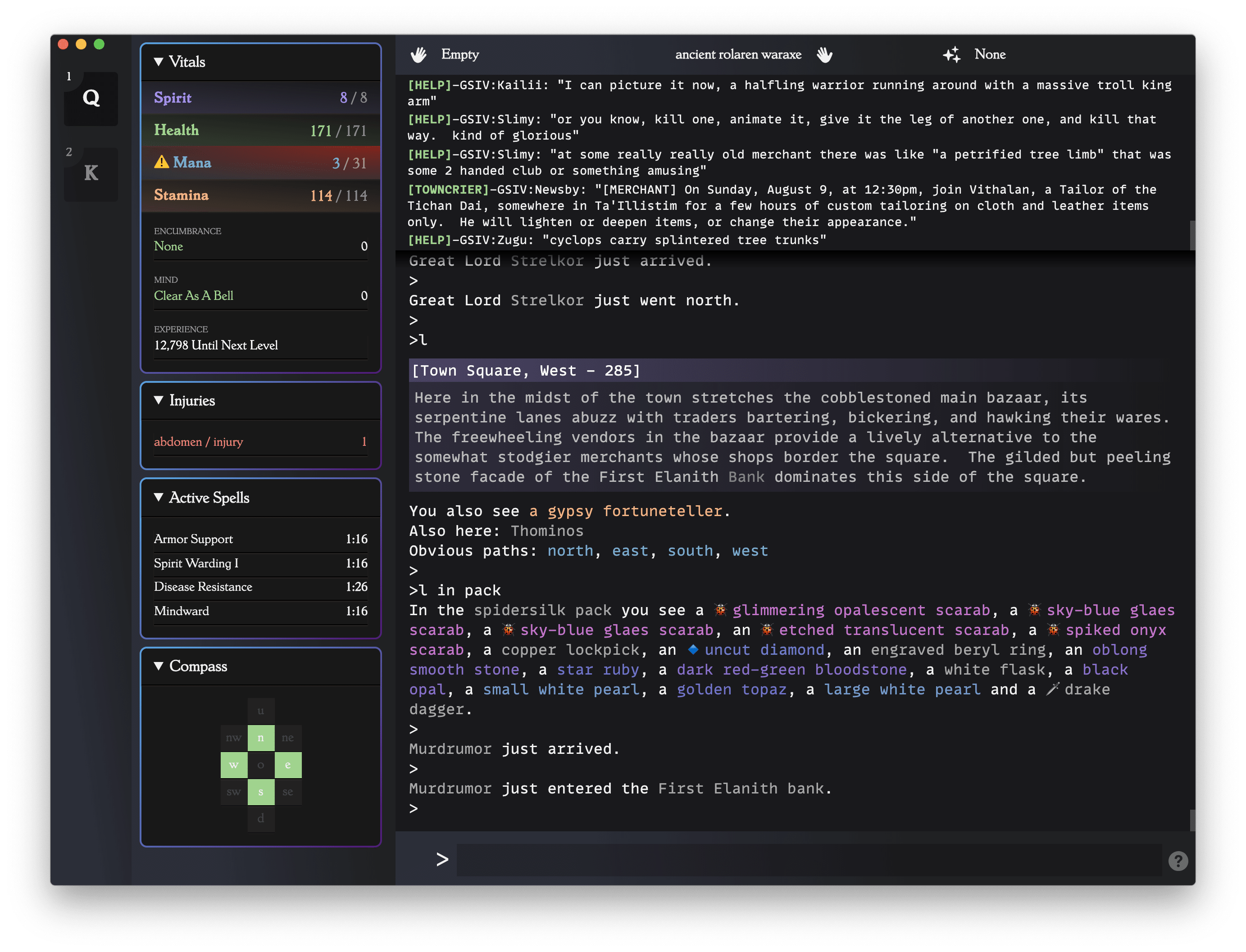
A modern cross-platform front-end for Gemstone IV.
From The Command Line
- Have Node 22.20+ and pnpm 11+ (
brew install pnpmon macOS, orcorepack enable && corepack prepare pnpm@latest --activate) - Clone the repository or download the .zip.
cdinto the directory and runpnpm install.- Launch Illthorn in dev mode with
pnpm start. - Build a distributable app with
pnpm make— outputs land in/out/.
Other useful scripts: pnpm check (full format/lint/typecheck/test pipeline), pnpm test:coverage (HTML report at coverage/index.html), pnpm storybook (component dev server).
You need to have an active Lich session. So you'd connect something like...
ruby lich.rb --login CHARACTER_NAME --detachable-client=8003 --without-frontend
Lich might also be lich.rbw on your setup. You can run multiple connections (for multiple characters/accounts) in multiple terminals and Illthorn will autodetect them. You'll have to run them on different ports though, like --detachable-client=8004.
- Runs on macOS, Windows, and Linux (Electron)
- Attempts to autostart sessions by detecting open Lich processes started with
--without-frontend - Runs multiple sessions in a single app (alt-# between them)
- HUD panels: room/compass, vitals, injuries, active spells, hands
- Highlights names/monsters/etc with TOML-configurable rules
- Click-to-execute game elements (
<d cmd>links and monsters) - Autocomplete command history
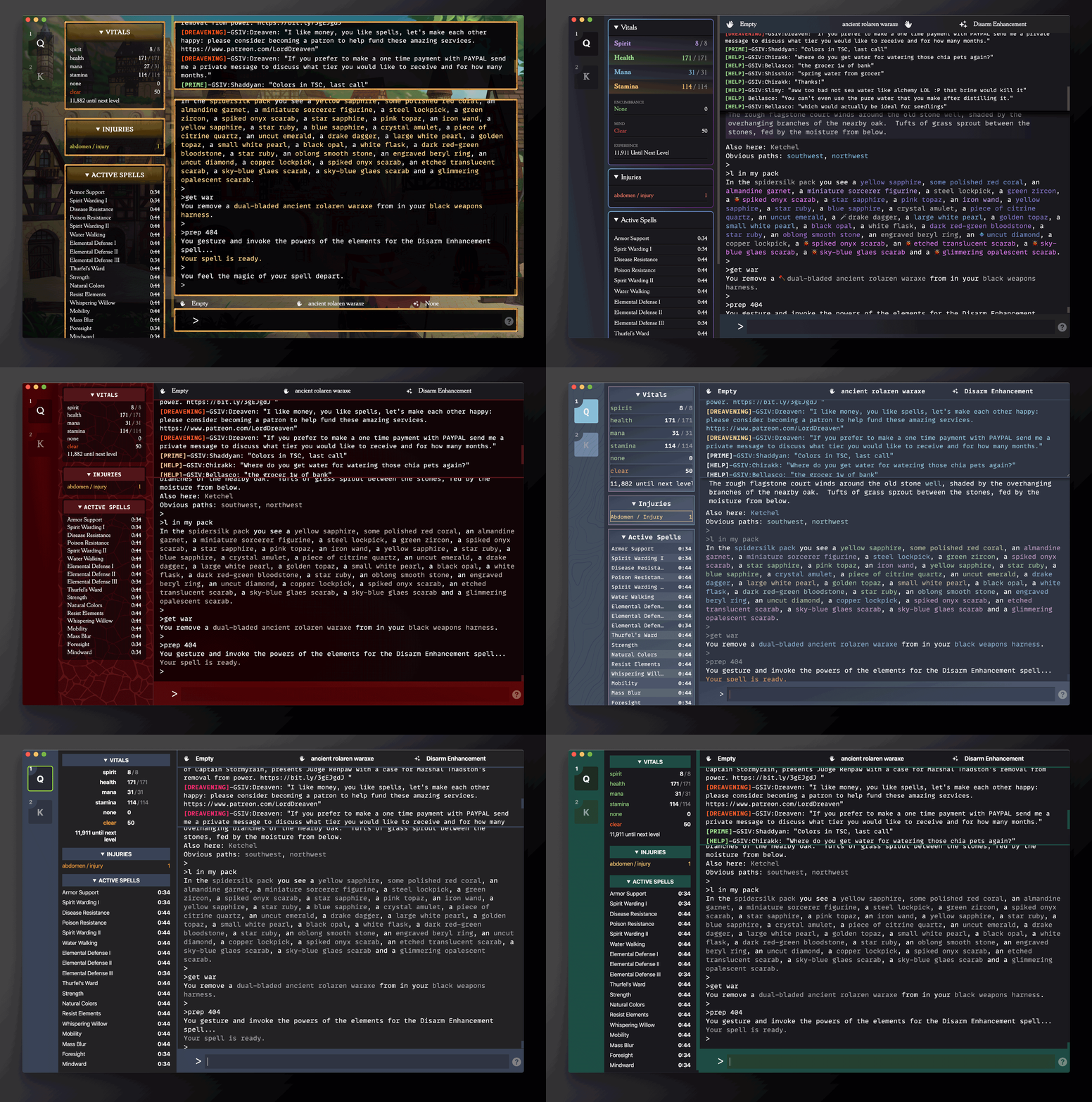
- Multiple themes to choose from
- Zoom in/out (like a web browser)
- Optional Streams panel for LNet, ESP, and Deaths
- Plugin Interface
- Custom Highlights
- Macros (TOML-configurable keybind bindings via keyboardjs)
- Saved Logging
- Download Public Themes
- Clickable links in game feed and ESP/LNet
Meta shortcuts are not customizable — this project generally prefers sane defaults over configuration.
Quick swap between sessions based on the numeric order on the left-hand session pane, similar to many modern terminals
All FE commands are prefixed by the : character, ala vim or other common CLI utils.
Change the active theme.
originalroguedark-kingicemulekoboldraging-thrak
Also has an alias: :c <name> <port>
Attempts to create a new named session with the given arguments. If name and port are omitted, it will attempt to autodetect any newly created Lich processes.
If port is omitted we will attempt to autodetect which port to connect to.
Swaps focus to another session.
There is also an alias: :f <session>
Renames the currently focused session.
If you accidentally mixed up the name/port combos when connecting, this allows you to easily swap between the names.
Sets a configuration path to a value.
Currently supported :set operations:
| path | value | description |
|---|---|---|
| clickable | boolean | turns clickable <d cmd> elements on or off |
Sets the panels. State is on or off. Names are:
sessionshudstreamsvitalsinjuriesactive-spellscompasshands
Example: :ui compass off
Sets the stream panels. State is on or off. Names are:
thoughtsspeechlogonlogoffdeath
Example: :stream thoughts on
Display current configuration for Illthorn.
Adds a regular expression to the specified highlight group.
Specifies a set of CSS properties to apply to a given group highlight. Multiple property-value pairs can be specified for a group. Typical properties include:
colorfor foreground color.background-colorfor background color.font-weightto make text bold.font-styleto make text italics.
Reload highlight configuration.
Removes the type of hilight object matching the text entry. type must be either "pattern" for a pattern that is matched, or "group" for the specification of how to handle matches, as described in previous sections. This group must be run using :sudo. If a group is being removed, and patterns are still assigned to that group, the command needs to include the phrase confirm (e.g. :hilite remove group confirm <text>).
Previous commands in a session are saved and will show a ghosted version as you type characters which you can autocomplete by pressing the right arrow key to complete the command.



![dependabot[bot]](https://avatars.githubusercontent.com/in/29110?v=4)