Table of Contents
Trade100 is a professional open-source trading interface for Polymarket prediction markets, easy to deploy anywhere with one click.
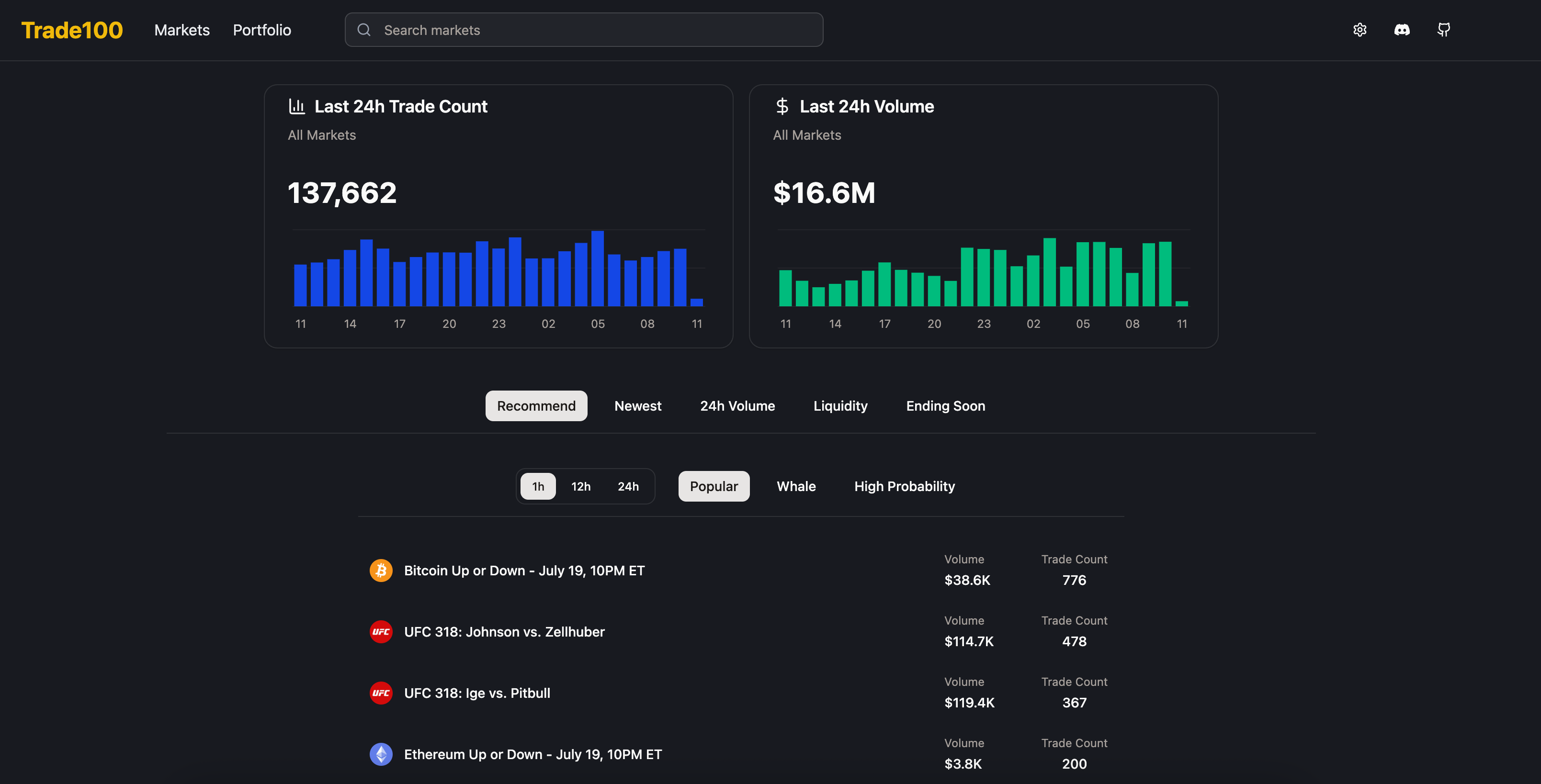
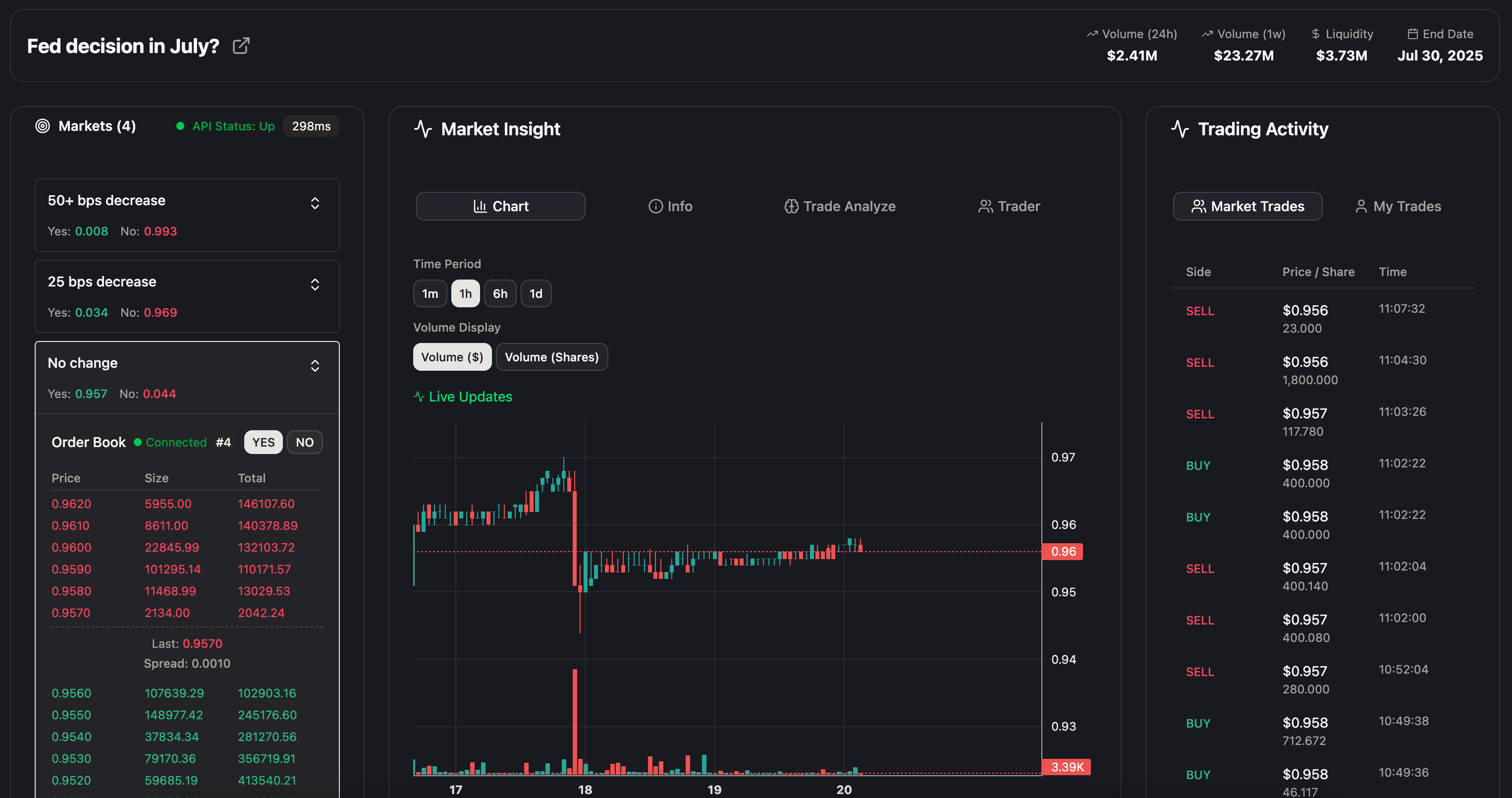
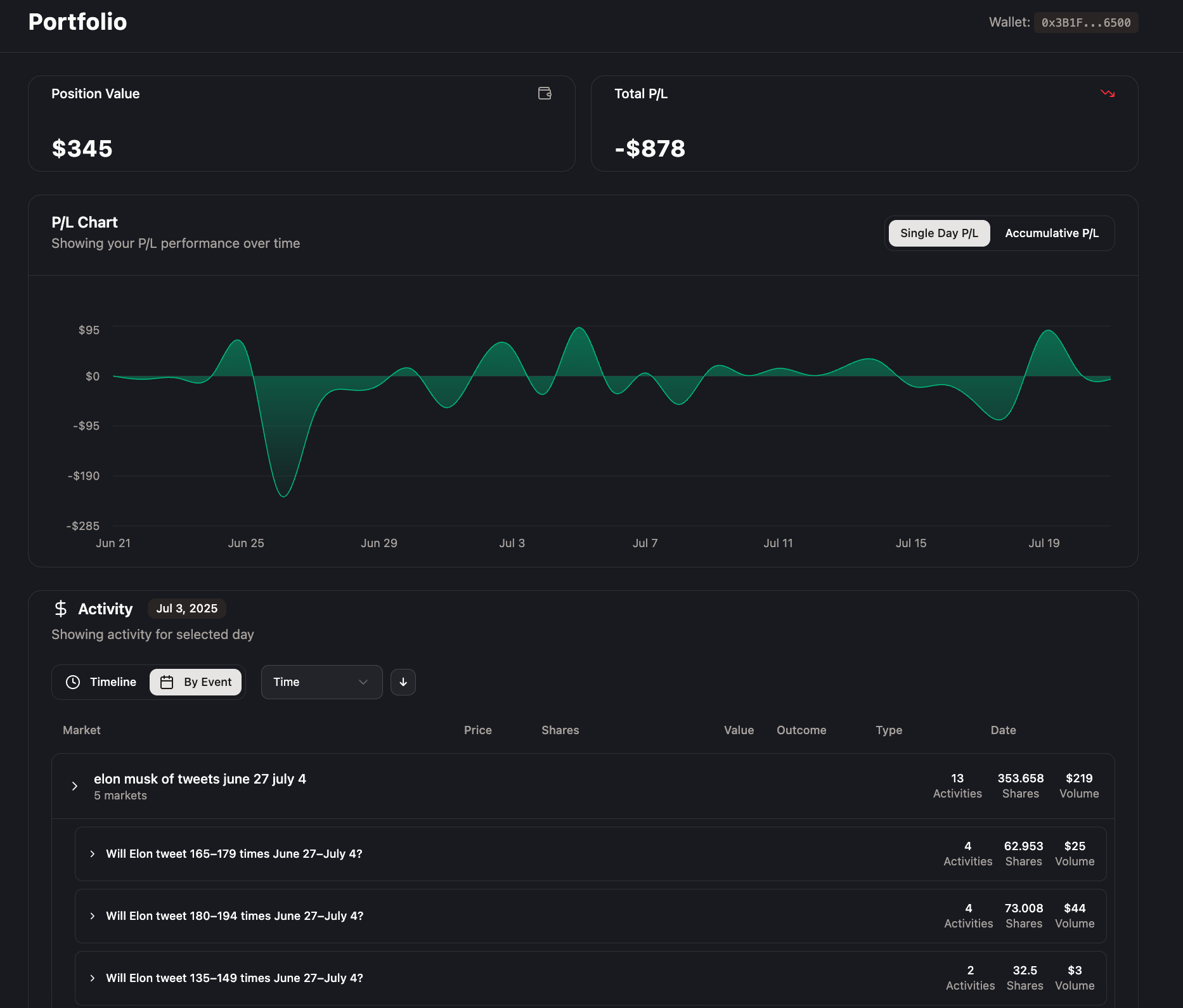
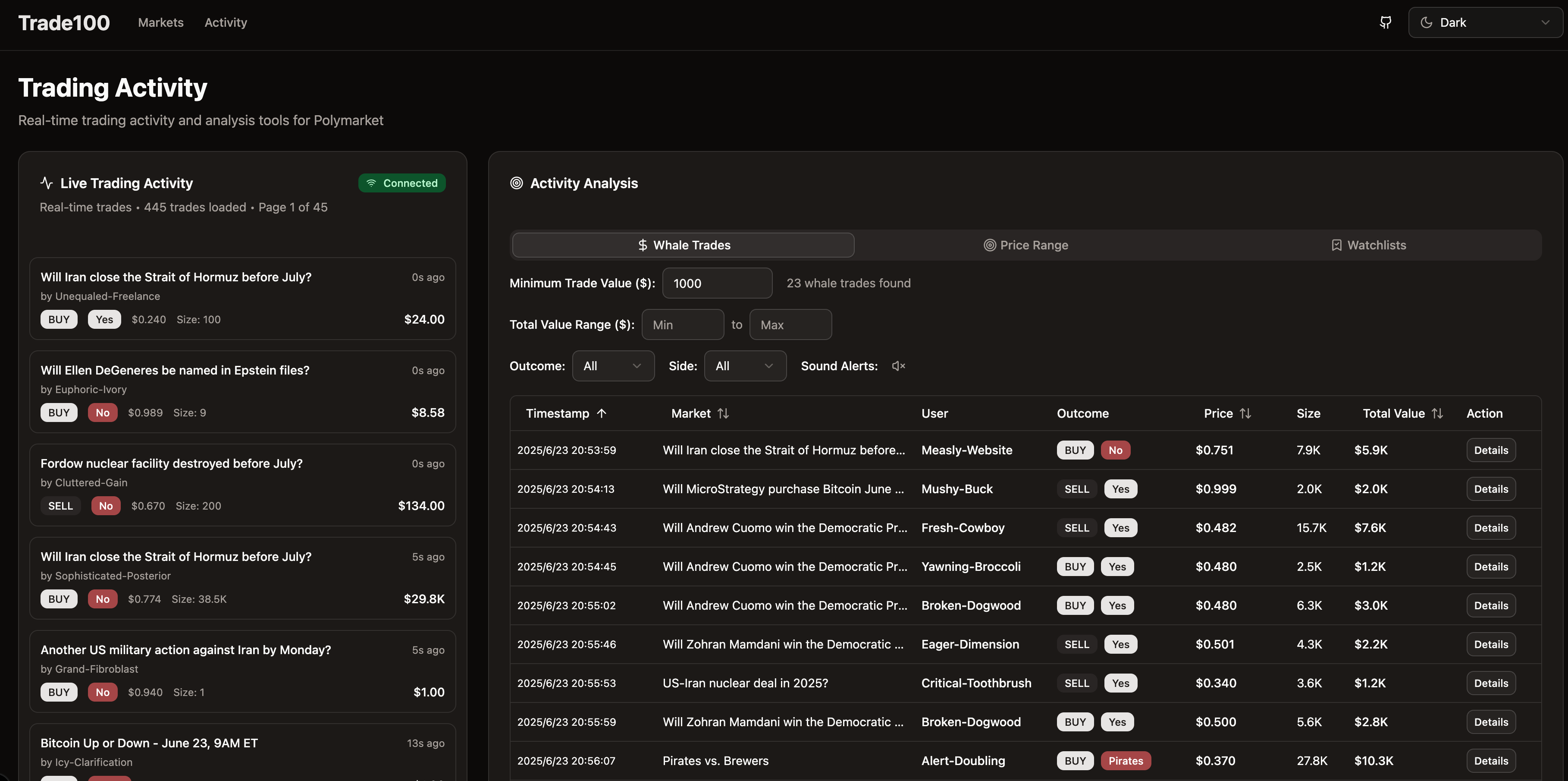
- Professional Trading Interface: Browse, filter, and analyze thousands of prediction markets with an intuitive, responsive design
- Flexible Deployment: Deploy locally for development or on cloud platforms like Vercel for production use
- Advanced Charts: Interactive price history charts with multiple timeframes and technical indicators
- Proxy Support: Built-in proxy configuration for development and restricted network environments
- Dashboard Customization: Personalize your trading workspace with custom layouts and widgets
- AI-Powered Analysis: Intelligent position analysis and risk management recommendations
- Portfolio Tracking: Comprehensive portfolio management and P&L tracking
- Smart Alerts: Customizable notifications for price movements and market events
- Click the deploy button above
- Configure environment variables in Vercel (optional for basic usage)
- Your dashboard will be live!
To get a local copy up and running, follow these simple steps.
- Node.js 18 or higher
node --version
- npm
npm install npm@latest -g
- Clone the repository
git clone https://github.com/Windsooon/Trade100
- Navigate to the project directory
cd Trade100 - Install NPM packages
npm install
- Copy the environment file
cp env.example .env.local
- Configure your environment variables in
.env.local# For local development with proxy (if needed) ALL_PROXY=http://127.0.0.1:9988 # Polymarket API URLs (defaults, usually don't need to change) NEXT_PUBLIC_POLYMARKET_API_URL=https://gamma-api.polymarket.com NEXT_PUBLIC_POLYMARKET_WS_URL=wss://ws-subscriptions-clob.polymarket.com # Trading Configuration (optional) POLYMARKET_PRIVATE_KEY=your_ethereum_private_key_for_trading
- Start the development server
npm run dev
- Open http://localhost:3000 in your browser
If you're behind a firewall or need to route traffic through a proxy:
- Set the proxy environment variable:
export ALL_PROXY=http://127.0.0.1:9988 - Start the development server:
npm run dev
The application will automatically detect and use the proxy for all API requests.
| Variable | Description | Required | Default |
|---|---|---|---|
ALL_PROXY |
Proxy URL for development | No | - |
NEXT_PUBLIC_POLYMARKET_API_URL |
Polymarket API endpoint | No | https://gamma-api.polymarket.com |
NEXT_PUBLIC_POLYMARKET_WS_URL |
WebSocket endpoint | No | wss://ws-subscriptions-clob.polymarket.com |
POLYMARKET_PRIVATE_KEY |
Ethereum private key for trading | No* | - |
*Required only for trading functionality
- Basic market browsing and filtering
- Real-time price updates
- Dark mode support
- Responsive design
- Order book integration
- Trading functionality
- Portfolio tracking
- Advanced charting tools
- Mobile app
- Multi-language support
- Spanish
- French
- German
See the open issues for a full list of proposed features (and known issues).
Contributions are what make the open source community such an amazing place to learn, inspire, and create. Any contributions you make are greatly appreciated.