A Python 2.7 and 3.5+ implementation of the Language Server Protocol.
The base language server requires Jedi to provide Completions, Definitions, Hover, References, Signature Help, and Symbols:
pip install python-language-server
If the respective dependencies are found, the following optional providers will be enabled:
- Rope for Completions and renaming
- Pyflakes linter to detect various errors
- McCabe linter for complexity checking
- pycodestyle linter for style checking
- pydocstyle linter for docstring style checking (disabled by default)
- autopep8 for code formatting
- YAPF for code formatting (preferred over autopep8)
Optional providers can be installed using the extras syntax. To install YAPF formatting for example:
pip install 'python-language-server[yapf]'
All optional providers can be installed using:
pip install 'python-language-server[all]'
If you get an error similar to 'install_requires' must be a string or list of strings then please upgrade setuptools before trying again.
pip install -U setuptools
Installing these plugins will add extra functionality to the language server:
- pyls-mypy Mypy type checking for Python 3
- pyls-isort Isort import sort code formatting
- pyls-black for code formatting using Black
Please see the above repositories for examples on how to write plugins for the Python Language Server. Please file an issue if you require assistance writing a plugin.
pyls is a language server, not an editor plugin. It does nothing on its own: an LSP
client running inside your editor starts it and talks to it. Installing the package puts a
pyls executable on your PATH, and clients normally launch that and communicate over
stdin and stdout:
pyls
It can also listen on a socket, which is useful when a client cannot spawn the process itself, or to attach to a server running elsewhere:
pyls --tcp --host 127.0.0.1 --port 2087
Run pyls --help for the full set of options. pyls -v logs what the server is doing,
which is the first thing to reach for when an editor reports no results.
Any editor with a generic LSP client can drive the server. Clients commonly used with it:
- Vim and Neovim —
nvim-lspconfig,coc.nvim,vim-lsporALE - Emacs —
lsp-modeoreglot - Sublime Text — the
LSPpackage - Kate — the built-in LSP client
Each client needs to be told to run pyls for Python files; see that client's own
documentation for where the setting lives. Server settings such as
pyls.plugins.pydocstyle.enabled are sent by the client, so they go in the client's
configuration rather than anywhere in this repository. See Configuration below.
There is no official extension for this server on the VS Code Marketplace, and there are no plans to publish one. The maintainers' answer, in issue #194, is that most contributors use the server with other editors.
The vscode-client directory in this repository is not that extension. It exists to
develop and debug the language server itself: it is unpublished, and it deliberately
launches a separate instance of VS Code because it conflicts with other Python extensions.
If developing the server is what you want, see Develop against VS Code.
To use this server from a normal VS Code setup you need a third-party extension capable of
launching an arbitrary LSP server, configured to run pyls. Note that VS Code's own
Python extension bundles a different language server, so the two will overlap.
Configuration is loaded from zero or more configuration sources. Currently implemented are:
- pycodestyle: discovered in ~/.config/pycodestyle, setup.cfg, tox.ini and pycodestyle.cfg.
- flake8: discovered in ~/.config/flake8, setup.cfg, tox.ini and flake8.cfg
The default configuration source is pycodestyle. Change the pyls.configurationSources setting to ['flake8'] in order to respect flake8 configuration instead.
Overall configuration is computed first from user configuration (in home directory), overridden by configuration passed in by the language client, and then overriden by configuration discovered in the workspace.
To enable pydocstyle for linting docstrings add the following setting in your LSP configuration:
"pyls.plugins.pydocstyle.enabled": true
See vscode-client/package.json for the full set of supported configuration options.
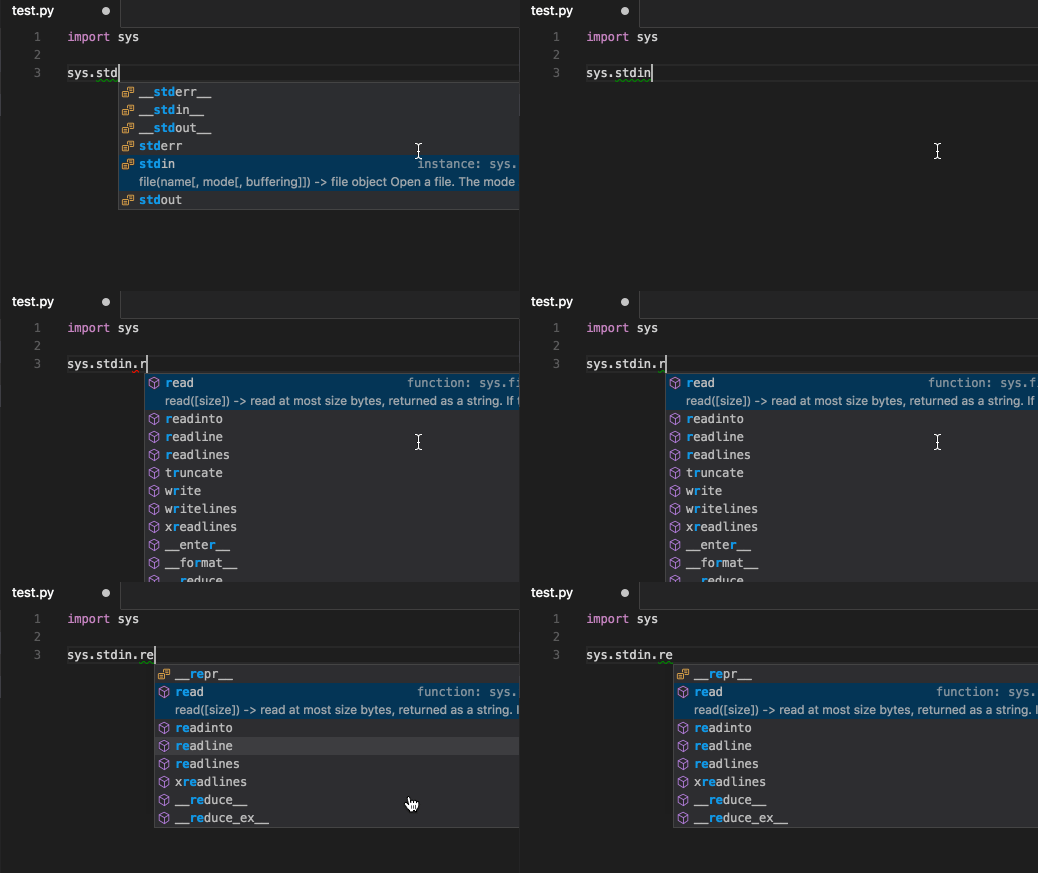
Auto Completion:
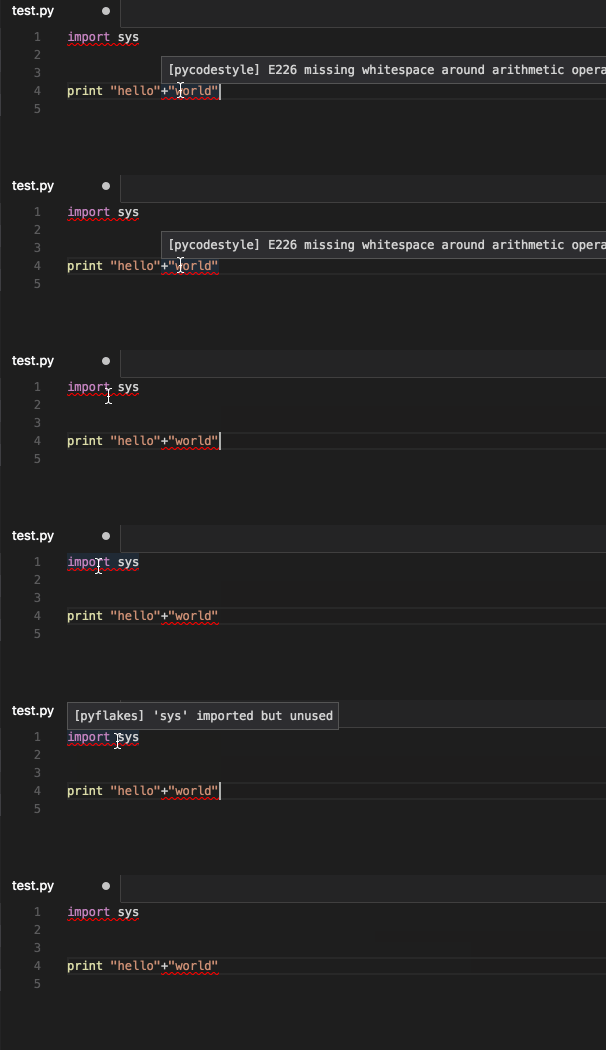
Code Linting with pycodestyle and pyflakes:
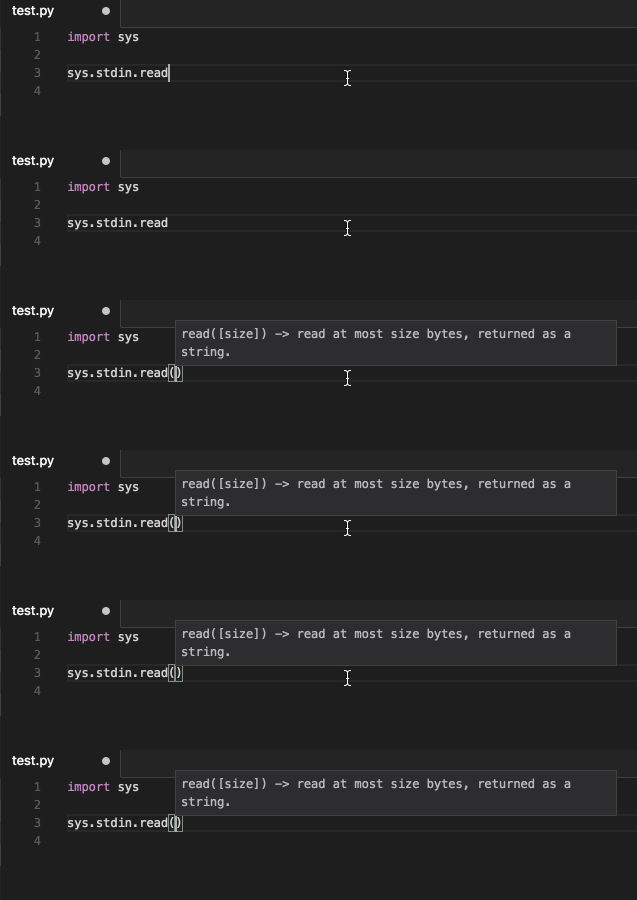
Signature Help:
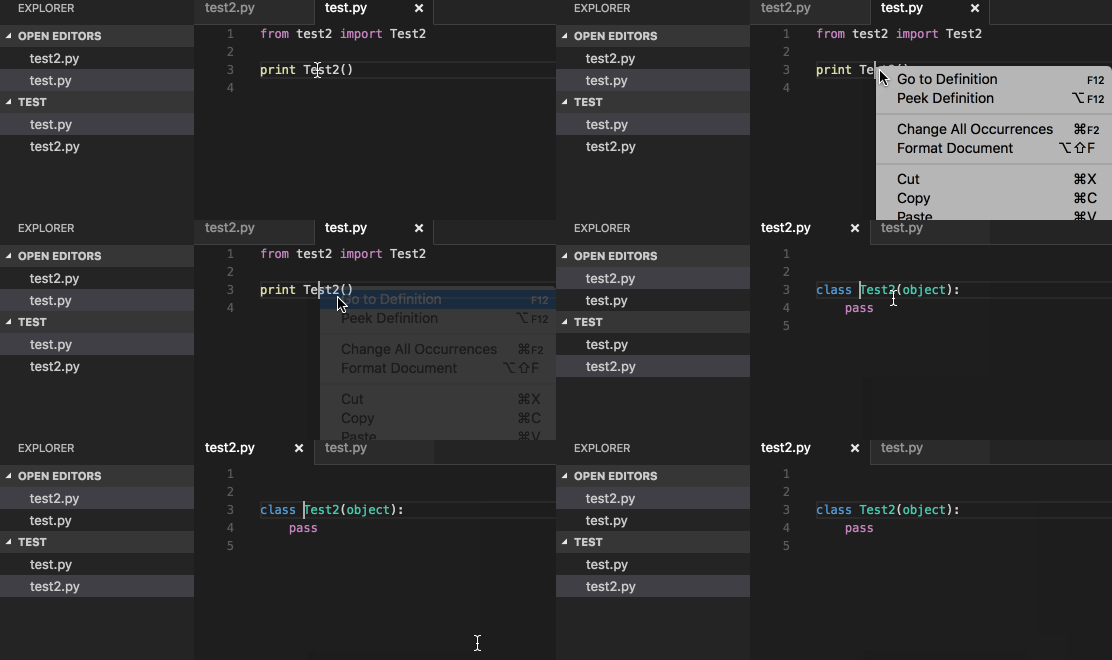
Go to definition:
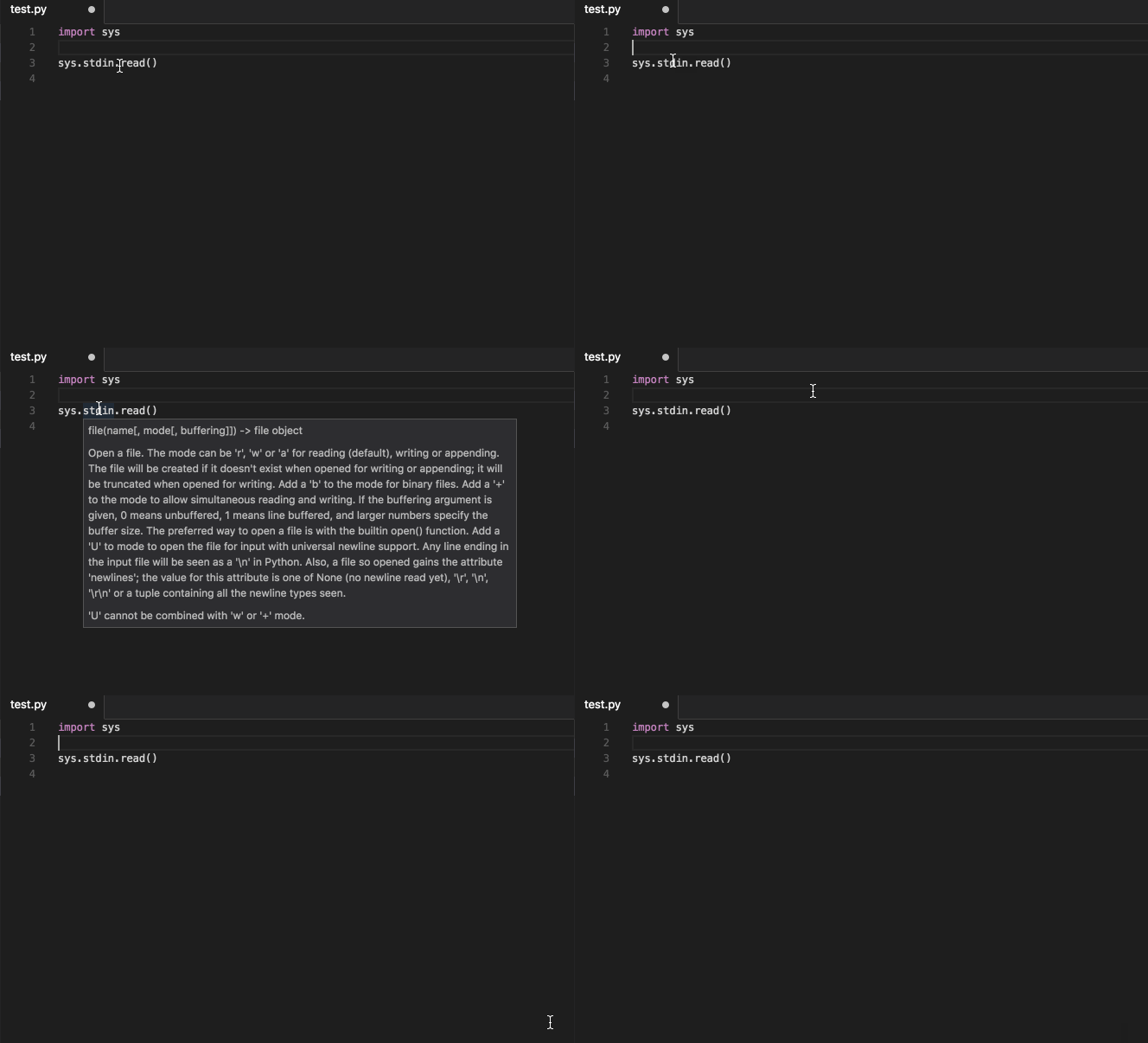
Hover:
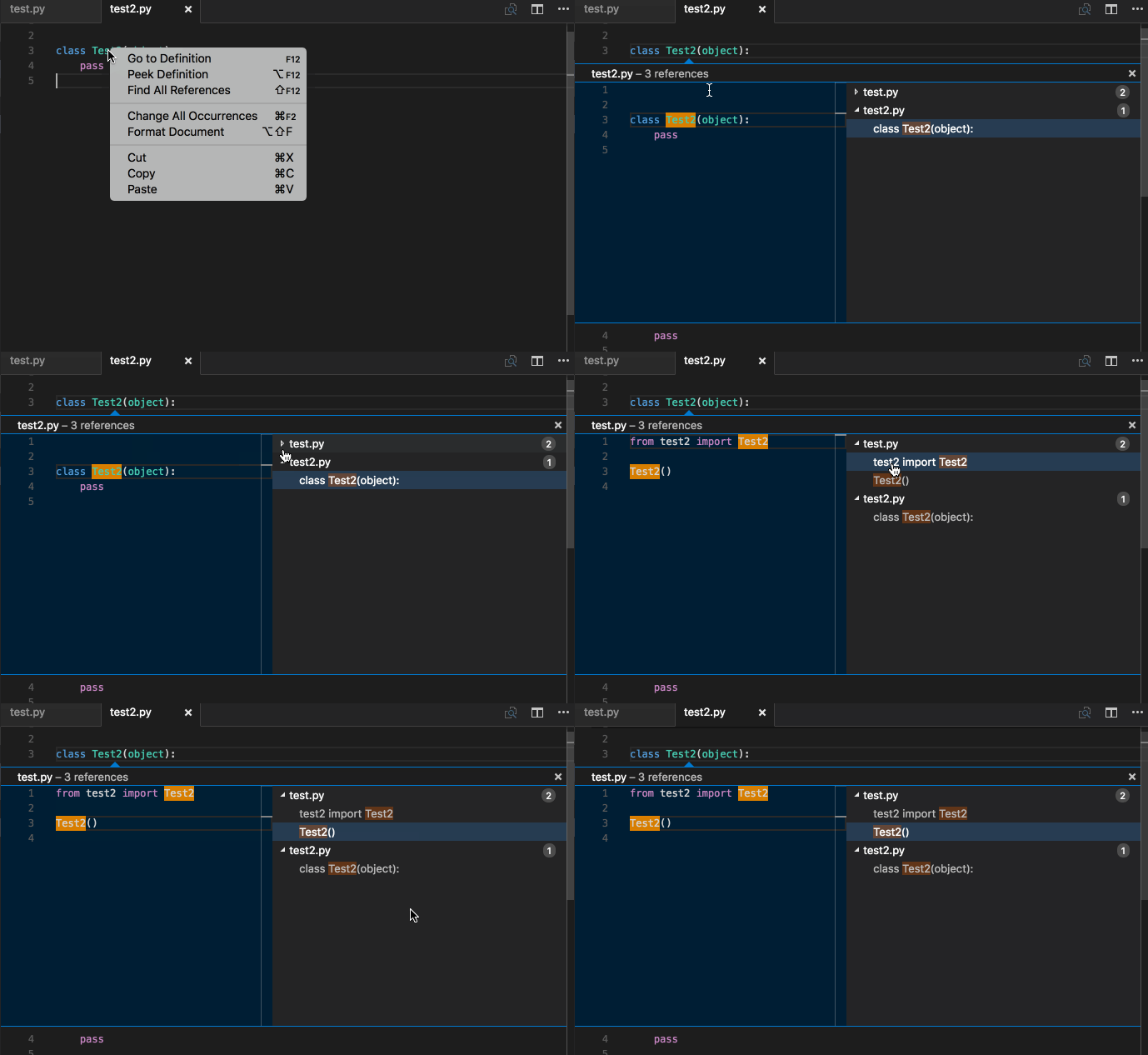
Find References:
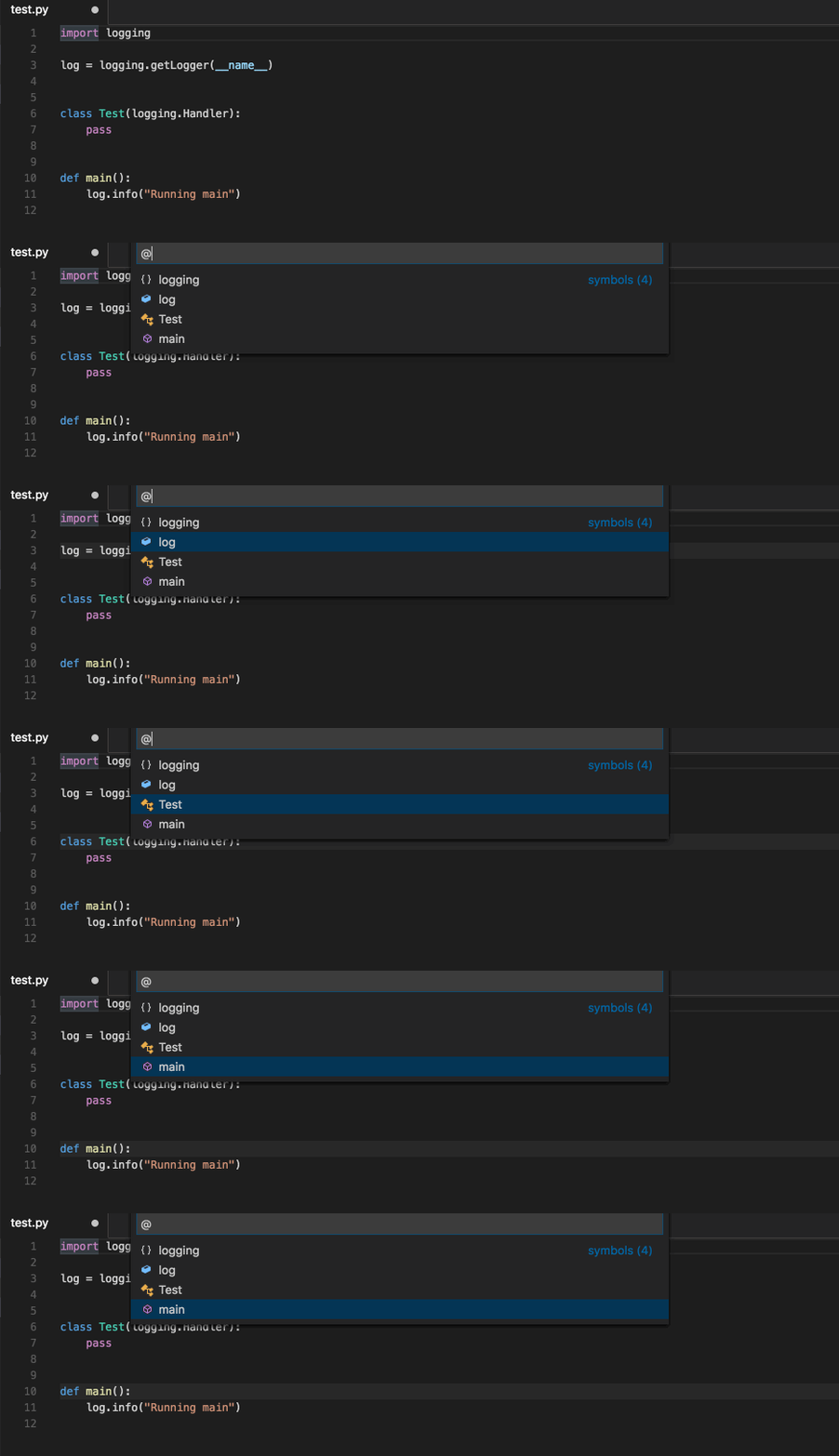
Document Symbols:
Document Formatting:
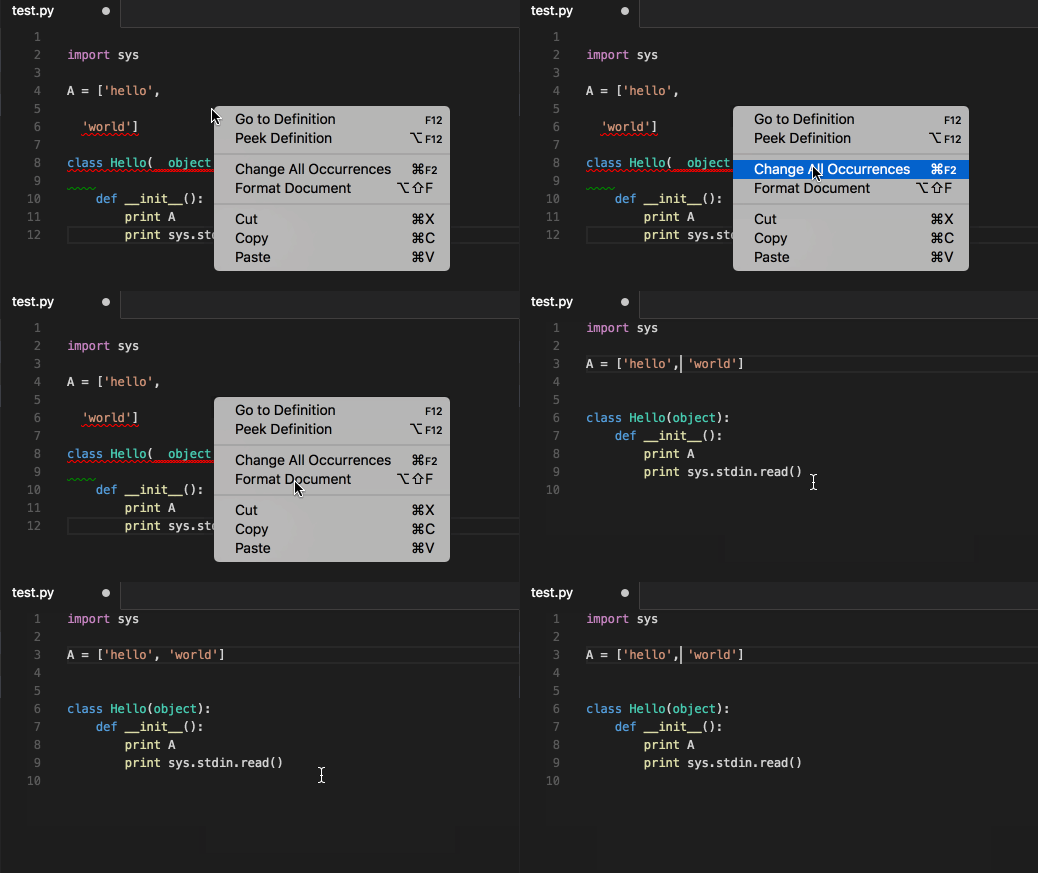
To run the test suite:
pip install .[test] && pytest
The Python language server can be developed against a local instance of Visual Studio Code.
Install VSCode
# Setup a virtual env
virtualenv env
. env/bin/activate

# Install pyls
pip install .

# Install the vscode-client extension
cd vscode-client
yarn install

# Run VSCode which is configured to use pyls
# See the bottom of vscode-client/src/extension.ts for info
yarn run vscode -- $PWD/../
Then to debug, click View -> Output and in the dropdown will be pyls. To refresh VSCode, press Cmd + r
Requests are handled one at a time, so a single slow plugin delays everything queued behind it and the editor can appear to hang. When a hook takes longer than a second the server logs a warning naming the hook, the document and the plugins registered for that hook, for example:
Hook pyls_lint took 118.62s for file:///home/me/project/big.py. Plugins registered
for this hook: mccabe, pycodestyle, pyflakes. Requests are handled one at a time, so
a slow plugin delays everything behind it.
That narrows a hang to one hook and a small set of plugins. To confirm which plugin is
responsible, disable them one at a time with the pyls.plugins.<name>.enabled setting.
Every hook call is also timed at debug level, so running the server with -v shows
timings for requests that completed normally.
When reporting a slow request, please include these lines along with the output of
pip list: how long a request takes depends heavily on the size of the environment
Jedi has to search.
This project is made available under the MIT License.


![dependabot[bot]](https://avatars.githubusercontent.com/in/29110?v=4)