This repository implements an AI chatbot using Laravel 12.x + Vue 3.x + Tailwind CSS.
The implementation example is configured so the bot acts as a TCG (Trading card game) expert agent, the latest commited code uses Laravel Ai SDK.
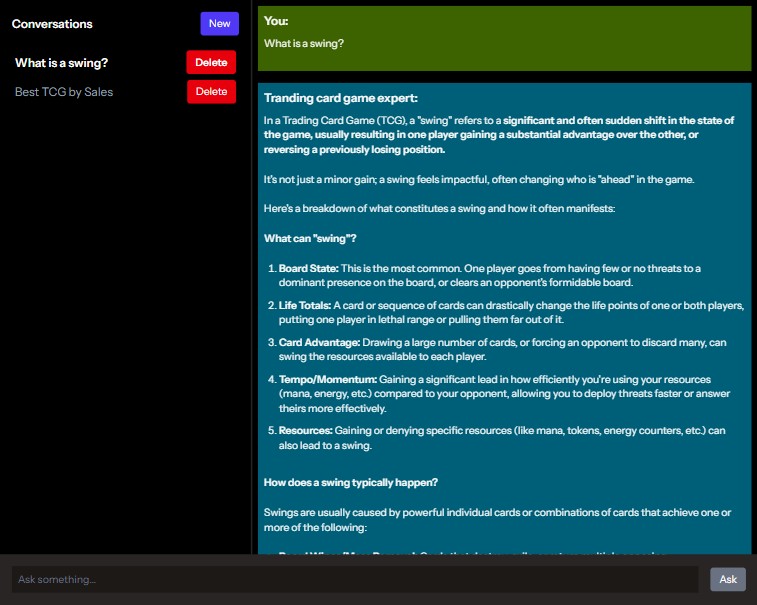
Supported AI services:
| AI |
|---|
| Gemini |
Aside from built-in Laravel env variables you will need API keys from AI service providers:
| Env variable | Description |
|---|---|
GEMINI_API_KEY |
Gemini API key. |
GEMINI_MODEL |
Gemini model. |
Use Laravel sail to start your local:
./vendor/bin/sail up -dRun migrations and seed:
./vendor/bin/sail artisan migrate
./vendor/bin/sail artisan db:seed
Run vite:
npm run devChange to WSL on Windows.
wslTo close docker containers:
./vendor/bin/sail downVisit the following url to test the chatbot:
http://localhostThe file /config/chatbot.php contains varios chat configurations.
Custom context is being stored in the posts database table (replicating WordPress posts structure), these records can be uploaded to the AI provider as static context files.
The repo comes pre-built with database seeds related to TCG, which can be populated with Laravel's seed command:
./vendor/bin/sail artisan db:migrateNOTE: Only available when not using Laravel AI agents.
For Gemini, this context is uploaded as text files and saved into "file search stores", this is great for a small knowledge database, for a larger one you will need to opt for LLMs.
The following command removes the existing context and uploads a new one.
./vendor/bin/sail artisan app:upload-context geminiNOTE: Only available when not using Laravel AI agents.
The following command deletes all existing context uploaded to Gemini.
./vendor/bin/sail artisan app:delete-context gemini