Please refer to wiki for the latest information: https://github.com/k8-proxy/GW-proxy/wiki/Production-websites
- Minio Server
- Minio Proxy
- Glasswall Engineering Website Proxied
- ICAP Server
-
Download OVA file from here
-
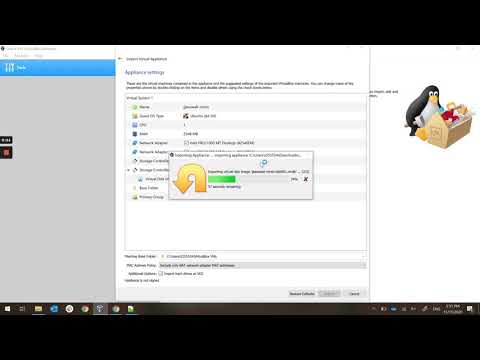
Open VirtualBox and import downloaded OVA file: icap-server.ova
-
Once OVA is imported, go to Settings>Network>Adapter 2
Name: VirtualBox Host-Only Ethernet AdapterAttached to: Host-Only Adapter -
Start ICAP Server VM
-
Login (username: ubuntu, password: mikihiir)
-
In command line shell, type:
ip a show eth1 -
Check the ip address for eth1 (this address to be used in the following step)
-
On your localhost machine (make sure you have c-icap-client installed) run below command to test the connectivity to ICAP server:
c-icap-client -i 192.168.56.104 -
Expected results: The command should respond with 200 OK.
Glasswall Engineering OVA for demoing Glasswall Rebuild engine proxy for engineering.glasswallsolutions.com website
-
Download OVA file from here
-
Open VirtualBox and import downloaded OVA file: glasswall-engineering.ova
-
Once OVA is imported, go to Settings>Network>Adapter 2
Name: VirtualBox Host-Only Ethernet AdapterAttached to: Host-Only Adapter -
Start Glasswall Engineering VM
-
Login (username: user, password: secret)
-
In command line shell, type:
ip a show eth1 -
Check the ip address for eth1 (this address to be used in the following step)
-
If you need to set custom ICAP url, modify ./k8-reverse-proxy/stable-src/gwproxy.env as follows
nano /home/user/k8-reverse-proxy/stable-src/gwproxy.envFind the line that starts with ICAP_URL= , and change the value to the desired ICAP server URL
-
Navigate to k8-reverse-proxy/stable-src
docker-compose downdocker-compose up -d -
In your hosts file (on Windows: C:\Windows\System32\drivers\etc, on MAC/Linux: /etc/hosts) add following lines
<VM IPADDRESS> engineering.glasswallsolutions.com.glasswall-icap.com<VM IPADDRESS> gw-demo-sample-files-eu1.s3-eu-west-1.amazonaws.com.glasswall-icap.com -
Open any browser and try to access: engineering.glasswallsolutions.com.glasswall-icap.com
Add needed exceptions to be able to bypass the SSL Certificate warning.
- Navigate to Documentation tab > Sample Files and try to download any and verify that file has "Glasswall Approved" watermark
Here is the video with above instructions: Glasswall Engineering Website OVA
-
Download the OVA from here
-
Open VirtualBox and import downloaded OVA file: minio-server.ova
-
Once OVA is imported, go to Settings>Network>Adapter 2
Name: VirtualBox Host-Only Ethernet AdapterAttached to: Host-Only Adapter -
Start Minio Server VM
-
Login (username: user, password: secret)
-
In command line, type:
ip a show eth1 -
Check the ip address for eth1 (this address to be used in the following step)
-
In your local hosts file (on win: C:\Windows\System32\drivers\etc, on MAC/Linux: /etc/hosts) add following lines
<VM IPADDRESS> minio.serverExample:192.168.56.102 minio.server
-
Open any browser and try to access: http://minio.server
-
Login to Minio Server (username: user, password: secret_password)
-
You setup Minio Server as per steps above and Minio Server VM is up and running
-
On Minio Server VM flush ip address:
sudo ip addr flush eth1sudo dhclientip a show eth1 -
Download the Minio Proxy OVA from here
-
Open VirtualBox and import downloaded OVA file: minio-proxy.ova
-
Once OVA is imported, go to Settings>Network>Adapter 2
Name: VirtualBox Host-Only Ethernet AdapterAttached to: Host-Only Adapter -
Start Minio Proxy VM
-
Login (username: user, password: secret)
-
Flush Minio Proxy IP address:
sudo ip addr flush eth1sudo dhclientip a show eth1 -
Inside Minio Proxy VM, update the /etc/hosts file with flush IP address of Minio Server:
<Minio Server flushed IPADDRESS> minio.server
Example:
192.168.56.102 minio.server
-
Run below commands in k8-reverse-proxy/stable-src
sudo docker-compose downsudo docker-compose up -d -
In your local hosts file (on win: C:\Windows\System32\drivers\etc, on MAC/Linux: /etc/hosts) add following lines:
<Minio Server IPADDRESS> minio.server<Minio Proxy IPADDRESS> minio.server.glasswall-icap.com
Example:
192.168.56.102 minio.server
192.168.56.103 minio.server.glasswall-icap.com
-
Access Proxied Minio Server at: http://minio.server.glasswall-icap.com
-
Note: It takes some time for page to load
-
Login to Minio Proxied Server (username: user, password: secret_password)
-
Note: Make sure the Minio Server and Minio Proxy IP addresses are not same. If the IP address is the same, run flush commands on both VMs to get a new IP address.


