

You can install the package via composer:
composer require awcodes/filament-table-repeaterIn an effort to align with Filament's theming methodology you will need to use a custom theme to use this plugin.
Note If you have not set up a custom theme and are using a Panel follow the instructions in the Filament Docs first. The following applies to both the Panels Package and the standalone Forms package.
- Import the plugin's stylesheet in your theme's css file.
@import '<path-to-vendor>/vendor/awcodes/filament-table-repeater/resources/css/plugin.css';- Add the plugin's views to your
tailwind.config.jsfile.
content: [
    '<path-to-vendor>/awcodes/filament-table-repeater/resources/**/*.blade.php',
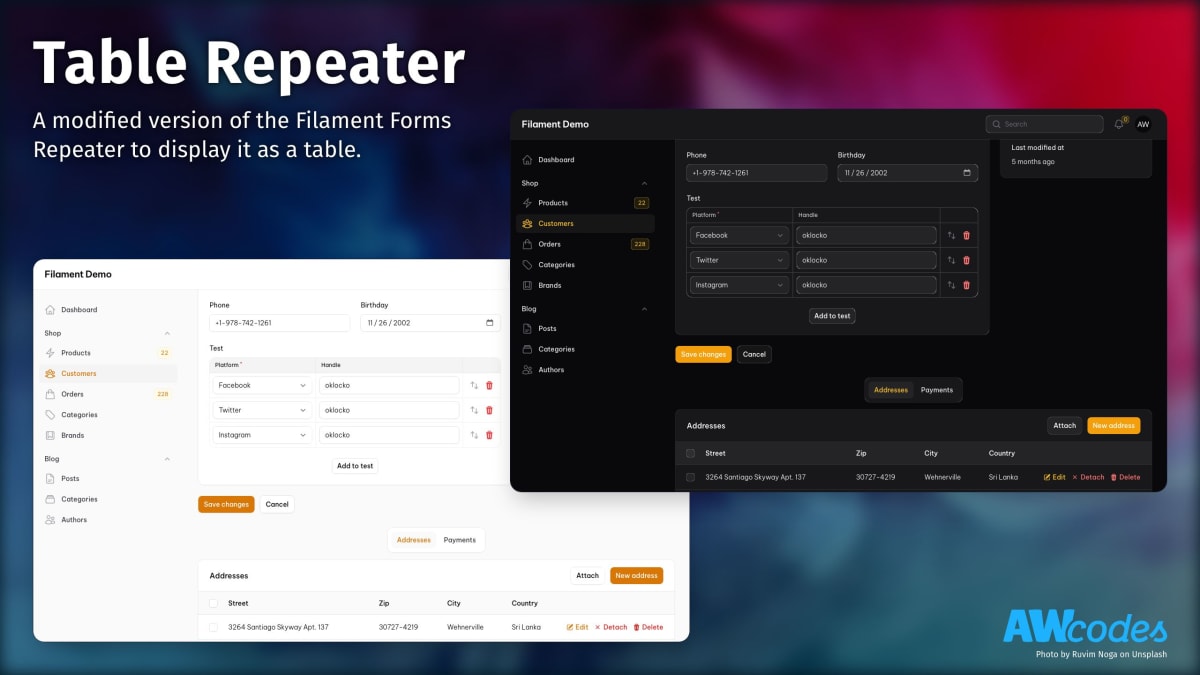
]This field has most of the same functionality of the Filament Forms Repeater field. The main exception is that this field can not be collapsed.
TableRepeater::make('social')
    ->schema([
        Select::make('platform')
            ->disableLabel()
            ->options([
                'facebook' => 'Facebook',
                'twitter' => 'Twitter',
                'instagram' => 'Instagram'
            ]),
        TextInput::make('handle')
            ->disableLabel(),
    ])
    ->columnSpan('full')
By default, Table Repeater will automatically create the table headers from your schema labels. This can be overridden by simply passing an array of your desired headers to the headers() method.
TableRepeater::make('social')
->headers(['Platform', 'Handle'])To automatically hide all the labels of the fields in the table use the hideLabels() method.
TableRepeater::make('social')
->hideLabels()To customize the text shown when the table is empty, use the emptyLabel() method.
TableRepeater::make('social')
    ->emptyLabel('There is no platform registered.')
Alternatively, you can hide the empty label with emptyLabel(false).
Sometimes we don't want to have the table header at all. To achieve this, use the withoutHeader() method.
TableRepeater::make('social')
->withoutHeader()To set the width of columns in the table use the columnWidths() method.
Widths should be set in px as a string. For fields that don't have names, such as Actions and Group, you have to give it an explicit id to target.
TableRepeater::make('social')
    ->columnWidths([
        'platform' => '200px',
        'action_field' => '100px',
    ])
    ->schema([
        Select::make('platform'), // will be 200px wide
        TextInput::make('handle'), // will be default stretched width
        Actions::make([
            ...
        ])->id('action_field'), // will be 100px wide
])Below a specific break point the table will render as a set of panels to
make working with data easier on mobile devices. The default is 'md', but
can be overridden with the breakPoint() method.
TableRepeater::make('social')
->breakPoint('sm') // accepts Tailwind CSS screen sizesPlease see CHANGELOG for more information on what has changed recently.
Please see CONTRIBUTING for details.
Please review our security policy on how to report security vulnerabilities.
The MIT License (MIT). Please see License File for more information.


![dependabot[bot]](https://avatars.githubusercontent.com/in/29110?v=4)
![github-actions[bot]](https://avatars.githubusercontent.com/in/15368?v=4)


