A simple script to find errors on network device interfaces.
Now you don't have to run around the devices or the monitoring system looking for interfaces with errors. Just run the script and wait for it to find those interfaces.
Format:
The time since the launch of the script: <Time since start>
===========================================================
{device}: {interface}
Total errors: {Error type} = <General error counter>
New errors: {Error type} = <Number of errors since the start of the script>
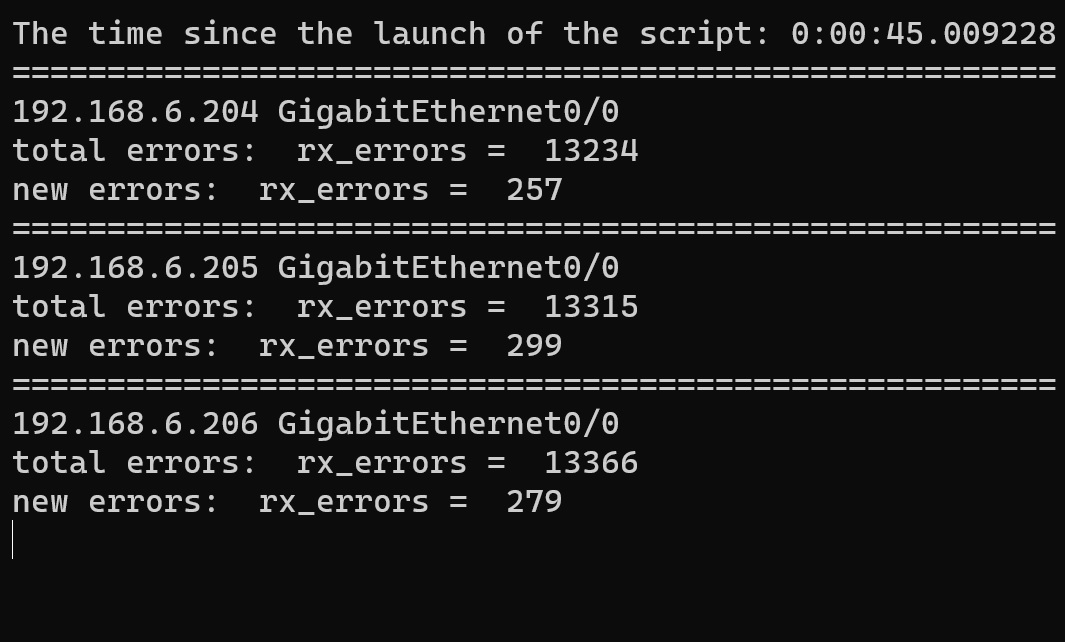
The script polls up to 100 devices in parallel (configurable) and displays only those interfaces with NEW errors (since the script was started).
The list of devices is taken from the Ansible inventory. The group of desired devices is configurable. Alternatively, the list of devices can be taken, for example, from a NetBox (not implemented yet).
The password to the devices is requested on launching the script. (Maybe think about ansible_vault or ssh-keys)
- On startup, query the state of all interfaces of all devices (baseline).
- Every 10 seconds (configurable) query the current state and compare the result with baseline
You will need Python 3 (tested in 3.10). Ansible inventory file. Nornir module. Nornir environment configuration.
Modules will have to be installed via pip. And examples of the other files are in this repository.
python nr_int_err.py -t <Refresh timeout> -g <Ansible device group>
