Make sure your frontend project is in its own repo (separate from your backend project), and that it is connected to a repo on Github.
NOTE: If you're using React Router, you'll also need to set up a _redirects file as specified here:
Your redirects file should be placed in the public folder. It look like this:
/* /index.html 200When working on your app, it's useful to consider which environment you're working on:
- Development: when working locally
- Test: when running tests
- Production: when deployed to server
You'll likely have some variables that change depending on what environment you're working in. For example, after deploying your site to production, you won't be able to access your backend on localhost anymore.
To handle these kind of environment variables, we can use .env files.
create-react-app has some tools for working with .env files that you can read about here:
You can make a .env.development and .env.production file to keep track of separate environment variables. Note that these files should be in the root of your application directory (not in /src).
Glad you asked! Deploying your site involves taking the code that lives on your machine, and setting it up to run on someone else's machine.
As you'll recall, our frontend applications are a type of app known as a Single Page Application. What that means is that there is only one HTML file, along with a handful of JavaScript, CSS, fonts, images, and other static assets. So when our site is deployed, the main thing we need is a server to host all of those files and let other people from around the world access those files with their browsers.
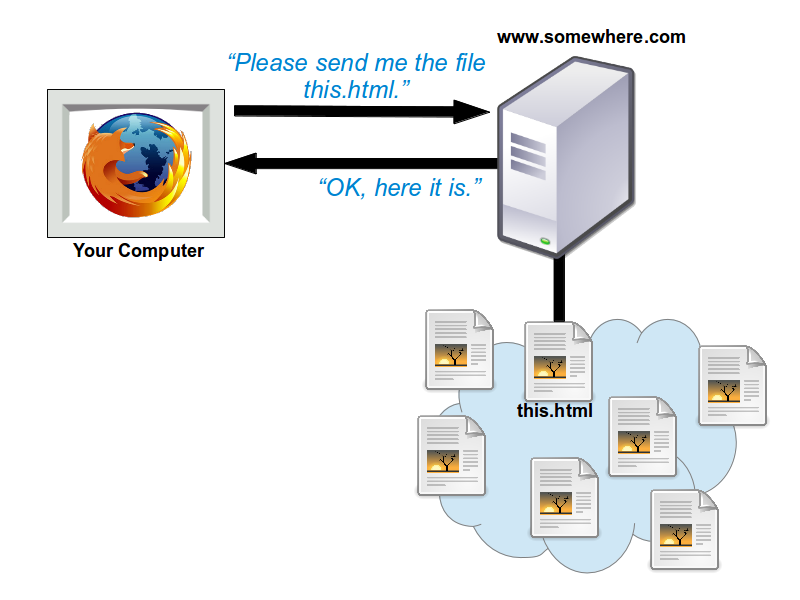
In order to generate those files, create-react-app comes with a special
build script that uses another tool, webpack, to take all of our JavaScript,
CSS, and other assets from the src directory and optimize them by bundling
(merging files together) and minifying (shortening the lines of code) so
that the files load as fast as possible.
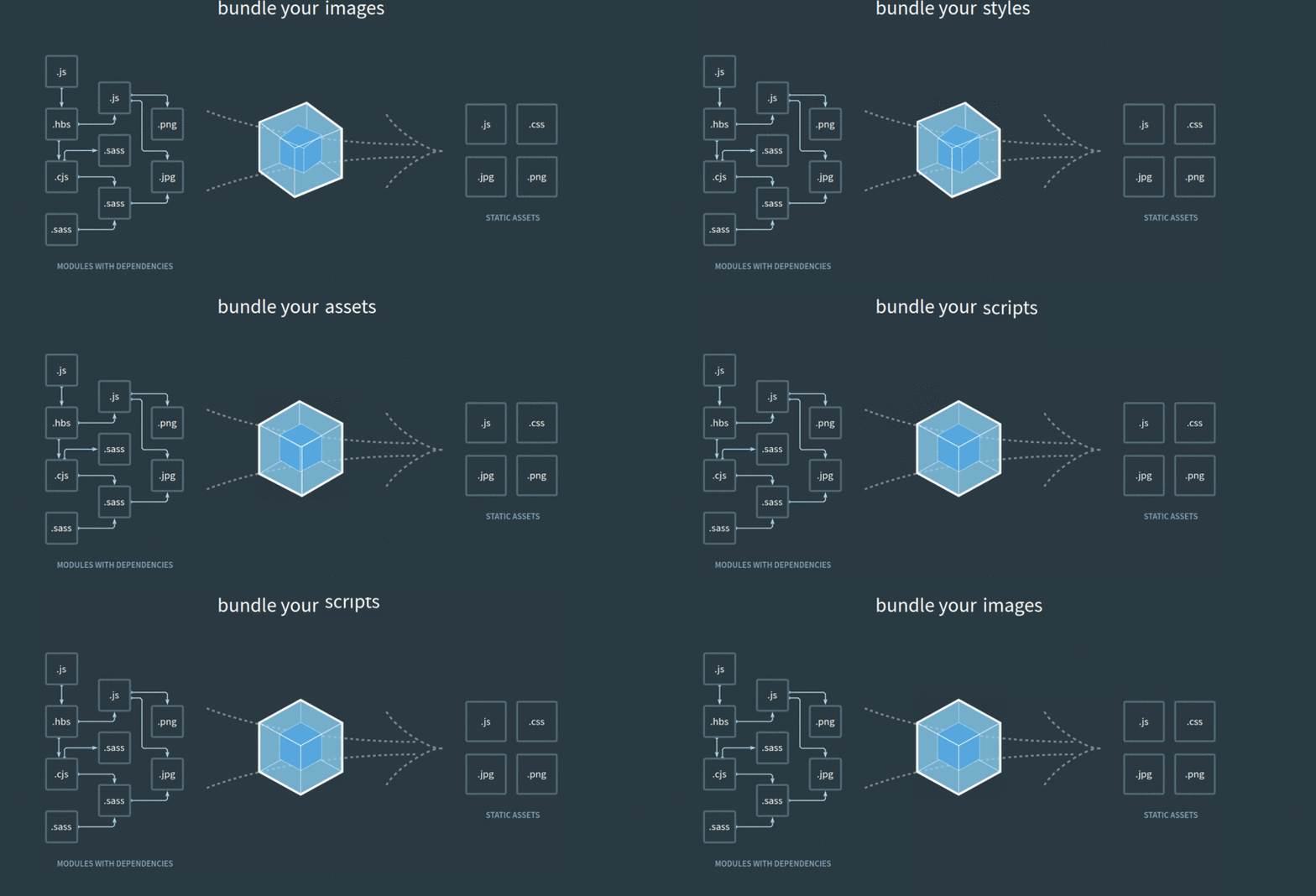
You can try this out on your own by running npm run build - this will create a new directory with your bundled and minified source code!
When you upload your project to Netlify, this build script will run
automatically on Netlify's server, so that they can host the content for you.
Any time you update your code and push the changes up to Netlify, the build
script will run again and create a new bundle on the server.
Netlify can be configured to use Continuous Deployment, which typically works by connecting your Git repository with Netlify's build process. Then, any time you push up changes to your main branch, your deployed site will automatically update! This makes it very easy to add features even after you've deployed.
