Fetch UPI Transactions from Gmail & Organize Expenses in Excel
📌 Overview
UPIx is a Python-based expense tracker that automatically extracts UPI transactions from Gmail and organizes them into an Excel sheet with categorized spending. It simplifies financial management by providing a clear breakdown of daily expenses, eliminating manual tracking.
Future updates will introduce bank statement integration and AI-powered auto-categorization for even smarter expense tracking. 🚀
📺 Watch the Demo Video: YouTube Link
✅ Automated Expense Extraction – Fetches UPI transaction emails from Gmail.
✅ Excel-Based Expense Tracking – Organizes transactions in an Excel sheet with categorized spending.
✅ Simple & Lightweight – No third-party apps required; data stays on your device.
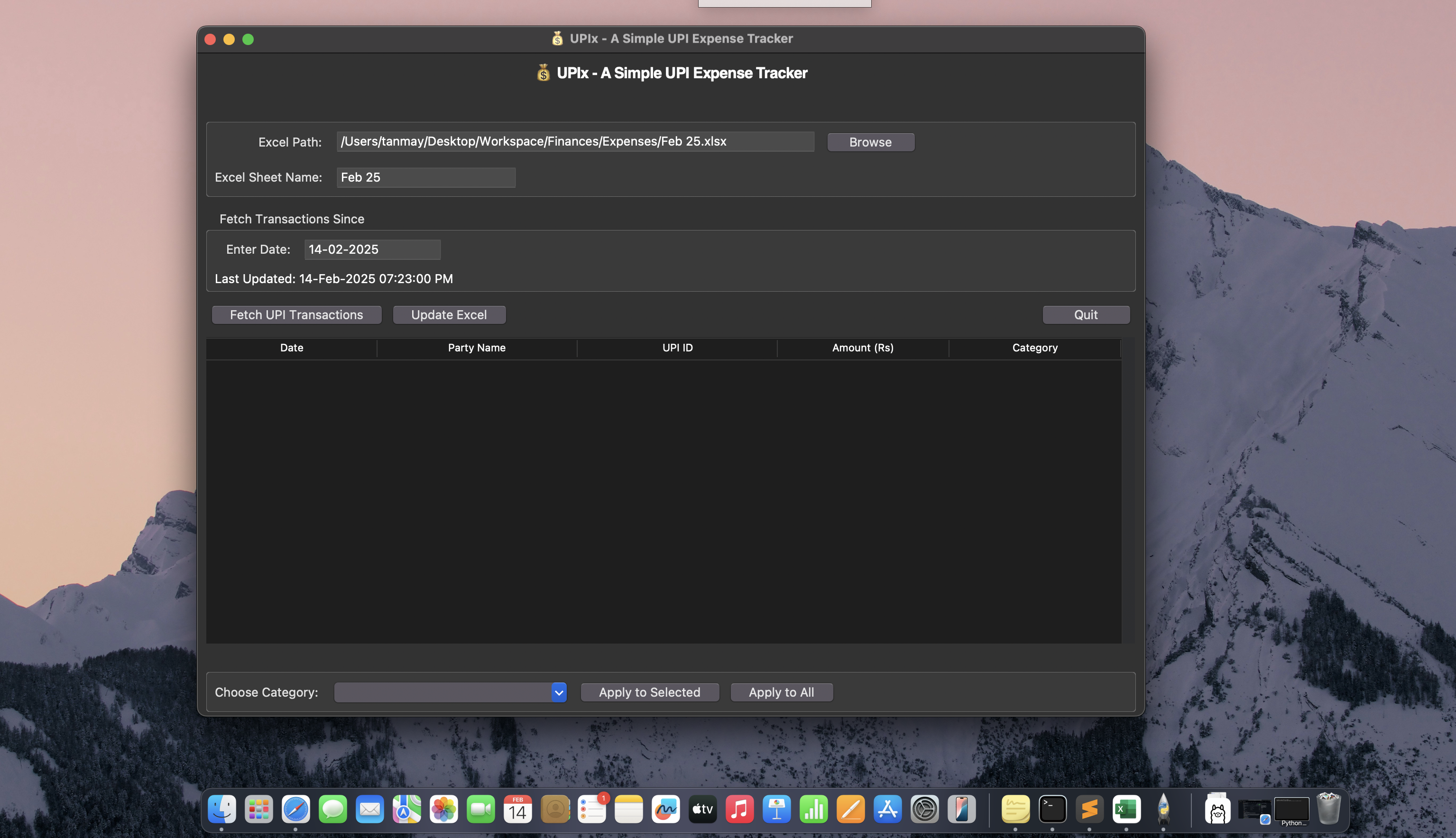
- Connects to Gmail API – Fetches UPI transaction emails securely.
- Extracts Key Details – Captures transaction date, amount, and merchant.
- Exports Data to Excel – Structures transactions for easy tracking.
- Manual Categorization – Users assign categories for custom expense tracking.
- Python – Core logic & automation
- Gmail API – Fetches UPI transaction emails
- Pandas & OpenPyXL – Excel data handling
- Regex & String Processing – Extracts transaction details
🔹 Fetch UPI transactions from Gmail
🔹 Extract transaction details (date, amount, merchant)
🔹 Save data in an Excel sheet for structured tracking
🔹 Users manually categorize transactions
🔹 Bank Statement Integration – Upload CSV/PDF bank statements for transaction extraction
🔹 AI-Powered Categorization – Auto-classifies expenses based on spending patterns
🔹 Smart Suggestions – Learns user preferences to improve accuracy
🔹 UI/UX Enhancements – More intuitive interface for easy tracking
✔️ Automates financial tracking – Eliminates manual entry
✔️ Dual Input Support – Use either Gmail API or bank statements (upcoming)
✔️ Custom Expense Categories – Adaptable to your spending habits
✔️ Privacy-Focused – Your data stays on your device
💡 Contributions & Feedback Welcome! 🚀
📺 Watch the Demo Video: Click Here
